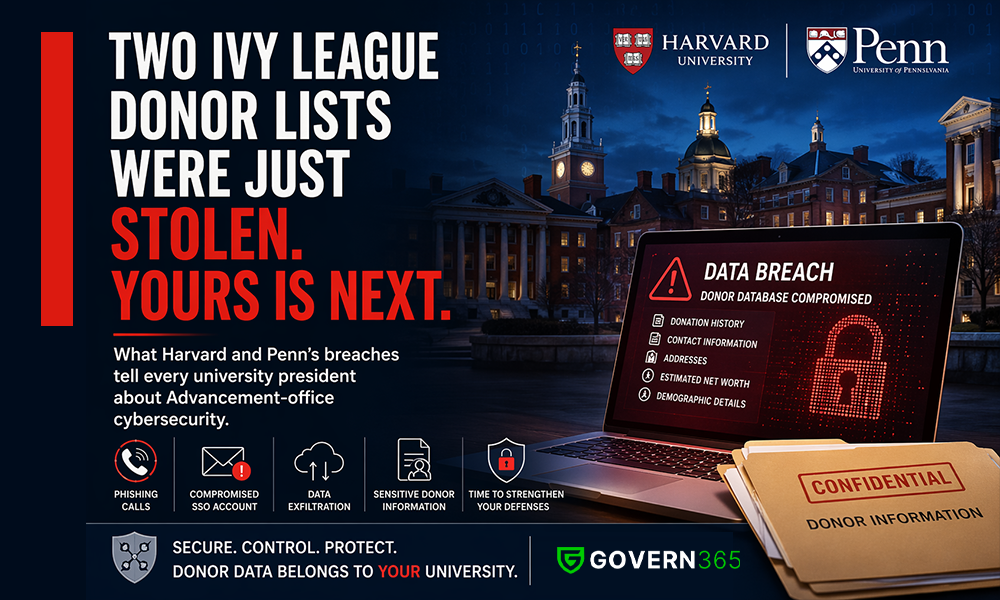
What Harvard and Penn’s breaches tell every university president about Advancement-office cybersecurity.
Two of the most resourced universities in the world lost their donor databases in the same quarter.
Harvard’s Alumni Affairs and Development office was breached in November 2025. By February 2026, the cybercriminal group ShinyHunters had published roughly 115,000 records – donation histories, event attendance, contact data for some of the wealthiest families in America. The intrusion was traced to a single phone-based phishing call.
The University of Pennsylvania was breached two weeks earlier. The attacker compromised one PennKey SSO account and walked into Salesforce, Qlik, SAP, and SharePoint. About 1.2 million records were exfiltrated – names, dates of birth, addresses, donation history, estimated net worth, and demographic detail down to religion and sexual orientation. Princeton’s Advancement database was hit on November 10 by the same technique. Columbia was hit over the summer, with Social Security numbers and health information added to the loss column.
Four of the eight Ivy League schools, in six months. One pattern.
If you run a university, your donor file is no safer than theirs was.
Why this keeps happening to Advancement, specifically
Inside a university, the Advancement office is the function with the highest external surface area. It pushes more confidential material across more external counterparties – donors, prospects, foundation officers, family offices, wealth advisors, event vendors, agencies – than any other group on campus. It does so under quarterly pressure to keep the campaign moving.
That sharing posture is the attack surface. The named breaches are not bad luck and they are not exotic exploits. They are:
- A phone call to one staffer (Harvard).
- A phishing email to one employee whose SSO unlocked four systems (Penn).
- A phone call to an advancement employee with ordinary database access (Princeton).
Every one of these starts inside the function that is paid to be reachable. Advancement cannot pull up the drawbridge. It can only change how the documents and data behave once they are shared.
The threat model has changed; the response has not
There is a second shift underneath the breach data that almost no university has internalized.
The exfiltration vector is no longer the file. It is the prompt.
Every document an Advancement officer shares with an outside agency, wealth firm, or vendor is now being read by that counterparty’s AI assistants – silently, without notification, and almost never under contract terms that say otherwise. A leaked PDF used to need a human reader. Today it gets summarized, indexed, and cross-referenced by a model your university has no relationship with. Net-worth estimates, prospect ratings, and major-gift call notes are exactly the kind of structured, valuable text those systems are built to extract.
If your defense is still “we restricted access on the SharePoint site,” the defense is from 2019.
The honest answer to “where is the data?”
Most university Advancement environments look like this:
- A primary CRM (Blackbaud Raiser’s Edge, Salesforce, Affinaquest, or Anthology).
- A wealth-screening overlay (iWave, WealthEngine, DonorSearch).
- An analytics/BI stack pulling from both.
- Microsoft 365 – SharePoint, OneDrive, Teams – where the real working files live. Call reports, prospect briefings, gift agreements, campaign forecasts, board decks, principal-gift pipeline spreadsheets.
The CRM has its own security model. The wealth tools have theirs. The BI stack has a third. And then the working files – the ones that actually get sent to outside counsel, outside agencies, and family offices – sit in M365 with link-sharing settings that an exhausted gift officer can change in two clicks.
The first three are usually audited. The fourth is where the breaches happen, and almost no Advancement organization can answer a basic version-and-recipient question about it.
What university presidents should ask this week
Six questions. Ask your VP for Advancement and your CIO together, in the same room, this week.
- Can you give me, today, a list of every external party – vendor, agency, advisor, family office, foundation – that has access to a confidential donor document right now?
- For the last principal-gift solicitation, can you prove which document, which version, went to whom, on what date – and confirm whether those recipients still have access?
- When a fundraising RFP or campaign closes, does access revocation collapse links, previews, and downloaded copies in one action – or is it a checklist that someone forgets?
- Do we own the audit trail for every external sharing event from the Advancement office, in our tenant, on our retention schedule – not on a vendor’s portal?
- Have we taken an enforceable contractual and technical position on whether external counterparties’ AI may ingest our shared documents?
- Does all of the above sit inside Microsoft 365 – or is it scattered across a dozen third-party portals and tools we do not control?
If your team cannot answer all six with confidence, your donor file is in the same risk class as Harvard’s and Penn’s were on November 17.
The Microsoft 365-native answer
Most universities respond to Advancement risk by buying yet another portal. A vendor “data room.” A new secure-sharing tool. A point solution per workload.
This is the wrong move. It creates a second audit trail outside your tenant, a second access model your IT team does not own, and a second place a supplier can leak from. You pay twice for the same control surface and weaken the one you already had.
The right answer is to apply data-room-grade controls to your existing SharePoint, OneDrive, and Teams – in place, at the source – so that every external share inherits revocation, watermarking, recipient identity, AI-ingestion controls, and a single audit trail in your tenant.
This is what Govern 365 was built to do, and it is exactly the gap Harvard’s and Penn’s incidents exposed. The breaches did not happen because their teams were careless. They happened because the function has structurally outgrown the controls it inherited.
A free Donor Data Exposure Assessment
Netwoven is offering a free Donor Data Exposure Assessment to the next 25 university presidents who request one. Two weeks of work on our side. No deliverable obligation on yours. You will leave with:
- A complete map of external sharing surfaces your Advancement office is using today.
- A named-incident comparison against Harvard, Penn, Princeton, and Columbia – same control gap or not.
- A 90-day remediation plan that stays inside your Microsoft 365 tenant.
Reply to this post, or email me directly. The next breach announcement is not far away. The university that gets ahead of this will not be the one that issues the cleanest notification letter. It will be the one that never has to.