Board Reporting
Run secure, audit-ready board meetings inside your own Microsoft 365 tenant - distribute board packs, control director access, and keep a full record of every interaction.
Request a DemoCore Advantages
➜ Keep board data in-tenant: no third-party board portal silo for sensitive materials➜ Distribute board packs in minutes: centralize agendas, reports, and resolutions in one secure room
➜ Control director access: role-based permissions for directors, committees, and observers
➜ Prevent leaks: watermarking, view-only, and download controls on every document
➜ Prove governance: audit-ready logs of who viewed what, when, and from where
Trusted by deal teams & security officers | Audit-ready logs | Role-based access | Fast setup





What is Board Reporting Software?
Board reporting software is a secure platform for preparing, distributing, and archiving board materials – agendas, board packs, resolutions, and minutes. It gives directors role-based access to confidential information, prevents unauthorized sharing or downloads, and produces an audit trail of every action taken on board documents.
Unlike general file-sharing tools, board reporting software is purpose-built for the confidentiality, role-based access, and auditability that boards of directors require. Govern 365 delivers those controls inside your existing Microsoft 365 virtual data room – so board materials never leave your tenant, and IT keeps full data sovereignty.
Run smarter board meetings with centralized board packs
Stop emailing PDFs and chasing version numbers. Govern 365 gives you one secure board communication hub for agendas, board packs, financials, and resolutions. Directors always see the latest version – and you can update materials in place, even after the pack has gone out, without re-sending links.


Give directors and committees the right level of access
Not every director needs to see every document. Assign owners, members, and visitors at the board, committee, or document level. Pre-meeting materials, executive sessions, and committee-only files stay separated automatically – no accidental oversharing, no manual permission cleanup after the meeting.
Control what’s shared, downloaded, and printed
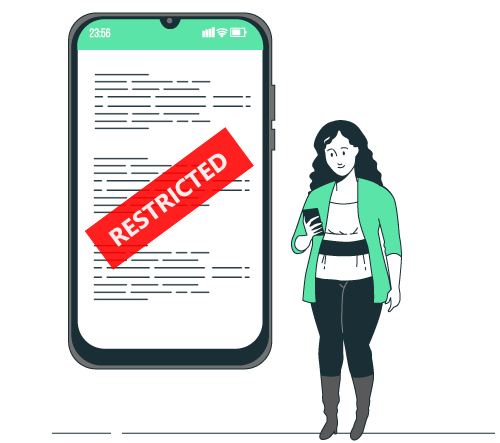
Built-in DRM controls let you mark sensitive board materials as view-only, watermark them with the viewer’s identity, and block downloads, printing, copy-paste, or screen capture. If a director’s access changes — or a board member rotates off – their access to historical materials closes immediately.
Track Every Boardroom Action
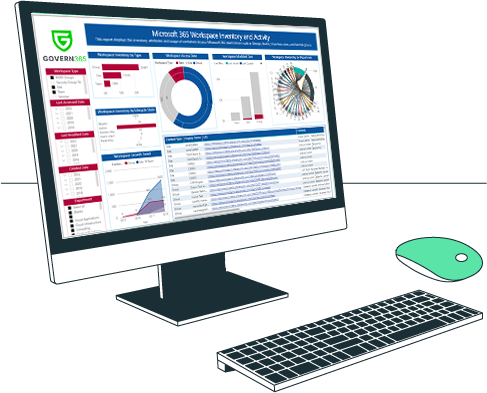
Every view, download, comment, and permission change is logged automatically. Pull an instant report on who accessed which materials before the meeting, generate the audit trail your auditors and regulators expect, and document board-pack disclosure cleanly for compliance reviews.
Frequently Asked Questions
A board portal is secure software used to prepare, distribute, and archive board materials – agendas, board packs, resolutions, and minutes. It gives directors role-based access to confidential information, controls how documents can be shared or downloaded, and produces an audit trail for every action taken on board materials.
At a minimum, board reporting software should include role-based access controls, watermarking, document-level permissions, view-only and download restrictions, full audit logs, and structured folders for board packs and committee materials. For regulated organizations, it should also support data residency and integration with existing identity and compliance systems.
Traditional board portals are third-party SaaS – your board materials live on the vendor’s cloud. Govern 365 runs inside your own Microsoft 365 tenant, so board packs are governed by your existing security, compliance, and retention policies. Directors sign in with their existing Microsoft account, and IT keeps full data sovereignty.
SharePoint and Teams are general collaboration tools, not board reporting platforms – they lack board-grade access controls, watermarking, view-only distribution, and the structured audit trail boards require. Govern 365 adds those controls on top of SharePoint, giving you a board portal experience without leaving Microsoft 365.
Directors sign in with their existing Microsoft 365 account or as guest users in your Entra ID. They see only the board packs, committee materials, and historical records they’re entitled to view, with permissions enforced at the document level – across web, mobile, and Microsoft Office.
Most customers have a working board room running in 24 hours or less using Govern 365’s pre-built templates. Existing SharePoint sites and document libraries can be promoted into a governed board space without migrating files.


Insights | Testimonial


Insights | Blog