Every sponsor and CRO eventually buys an eTMF. It’s one of the least controversial purchases in clinical development: regulators expect a complete, contemporaneous, inspection-ready trial master file, and a modern eTMF system – Veeva Vault eTMF and its peers – delivers exactly that, with controlled taxonomies, completeness dashboards, and audit trails on every filed artifact.
Then something odd happens. Teams that just invested six or seven figures in an eTMF still run their actual document exchange – site contracts, safety letters, protocol amendments, monitoring report drafts – through email attachments and ad-hoc file links. The eTMF is pristine; the pipeline that feeds it is chaos.
That’s not a failure of the eTMF. It’s a category error about what an eTMF is for. This post draws the line precisely: what an eTMF system does brilliantly, what it was never designed to do, and what a governed upstream layer looks like when you build it inside the Microsoft 365 tenant you already own.
What Is an eTMF in Clinical Trials?
eTMF stands for electronic trial master file – the system that holds a trial’s essential clinical trial documentation in electronic form. Where the trial master file is the content – the essential documents that let an inspector reconstruct how a trial was conducted – the eTMF is the system: filing, indexing, quality-checking, and reporting on that content, almost always organized by the CDISC TMF Reference Model’s zones, sections, and artifacts (the industry-standard TMF structure).
A good eTMF system earns its keep in four ways: a controlled filing taxonomy shared by sponsor and CRO; milestone-driven completeness metrics (“are the documents we should have at first-patient-in actually filed?”); document-level quality review with audit trails; and an inspector-ready view for the day the agency arrives.
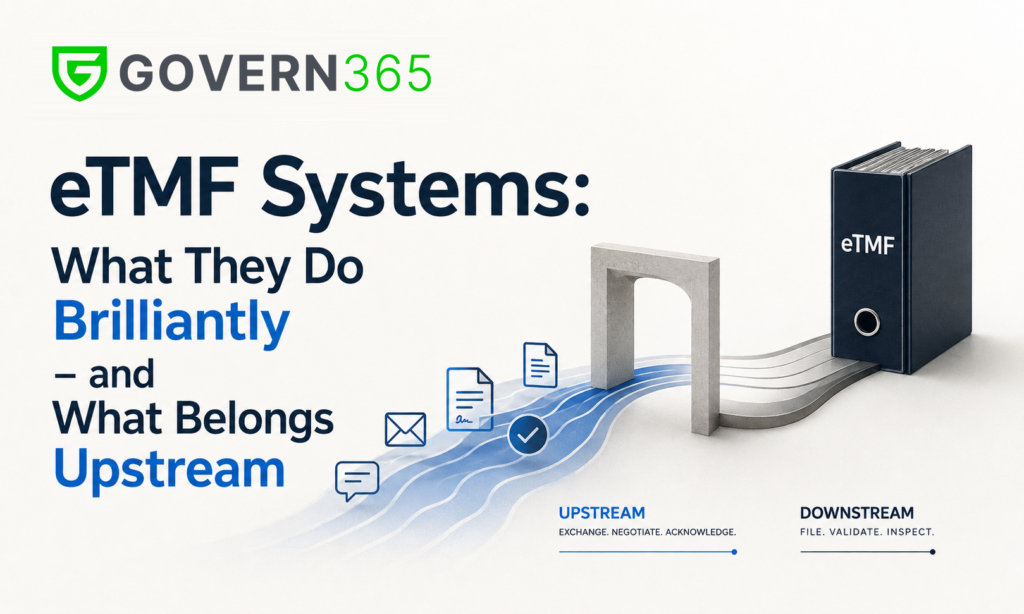
Notice the common thread – every one of those functions concerns documents that have already arrived. The eTMF answers “what was filed, is it complete, and can we show it?” It has no opinion about the far messier question that precedes it: how did ninety sites, three labs, two IRBs, and a CRO exchange, negotiate, and acknowledge those documents in the first place?
eTMF vs. CTMS vs. REDCap vs. Everything Else
Part of the confusion is that clinical technology categories blur together, so it’s worth being blunt about the boundaries:
CTMS vs. eTMF. A clinical trial management system tracks operational activity – enrollment, monitoring visits, milestones, payments. The eTMF holds the documents. Many suites integrate the two (a completed visit in CTMS expects a monitoring report in the eTMF), but they are different systems answering different questions.
REDCap is not an eTMF. REDCap is electronic data capture – patient and study data, not essential documents. Academic teams sometimes press it into filing duty; it has no TMF Reference Model taxonomy, no completeness model, and it isn’t built to satisfy a TMF inspection.
Quality systems are not eTMFs. An eQMS (MasterControl and peers) governs controlled procedures and training records. It shares DNA with an eTMF – both are systems of record – but the TMF has its own regulatory expectations and reference model.
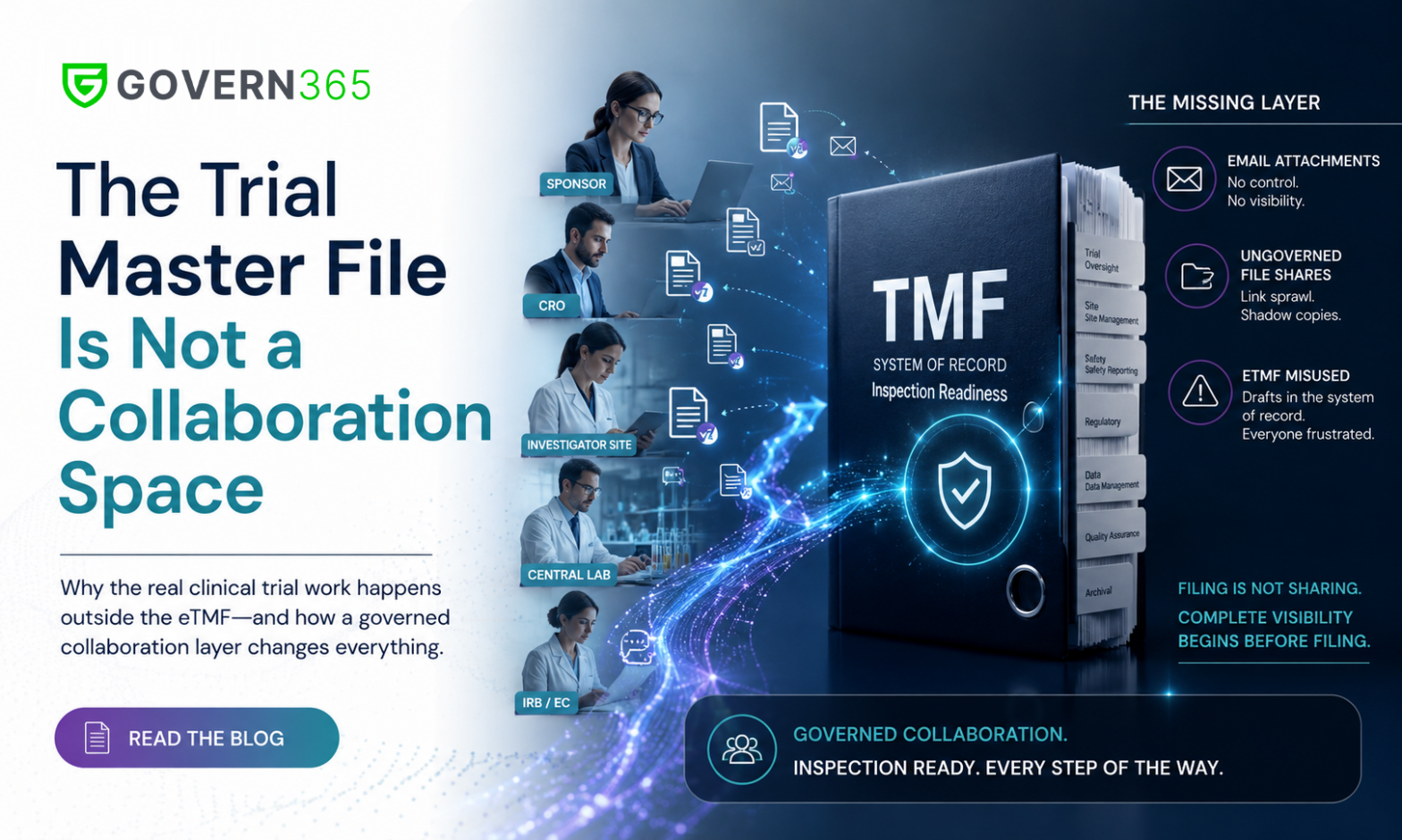
And none of the above is a collaboration layer. Not CTMS, not EDC, not eQMS, not the eTMF itself. The exchange that fills the trial master file – external, iterative, multi-party, deadline-driven – happens before filing, in whatever channel the team defaults to. For most, that channel is still email.
What Belongs Upstream of the eTMF
Map a trial’s document flows and a clean split appears. Downstream, in the eTMF: final, approved, filed artifacts. Upstream, in the exchange layer: everything still in motion –
- Clinical trial agreements and budgets cycling between sponsor, CRO, and each site’s legal team – confidential, per-site, and absolutely not for the filed record until executed.
- Protocol amendments and investigator brochure updates distributed to every site, with acknowledgments that must be provable, not just requested.
- Safety letters (SUSARs) – the highest-stakes distribution in clinical operations, where “did site 41’s coordinator actually open it, and when?” is a question you must be able to answer.
- Site initiation packets and regulatory binder documents staged for each site before activation, and the site’s investigator site file kept reconciled with the sponsor’s TMF.
- Draft monitoring reports exchanged with the CRO for review before the final version is filed.
Run that layer on email and you get the familiar pathology: no revoke, no expiry, no watermark, no per-document view log, and an inspection-prep exercise that amounts to archaeology across mailboxes. Run it inside the eTMF and you pollute the system of record with drafts while forcing a filing tool to do workflow. Neither is governance.
The Governed Exchange Layer, Inside Microsoft 365
Govern 365 builds the upstream layer as governed data rooms inside your own Microsoft 365 tenant – the same tenant-native model regulatory teams use in the regulatory submission data room, applied to clinical operations:
- A room per relationship – each CRO, site, and lab isolated from every other, so contract terms and budgets never cross-contaminate.
- Named-user permissions for coordinators, CRAs, and site staff; no guest sprawl, no “anyone with the link.”
- Distribution with proof – amendments and safety letters post once, surface in every site room, and generate a per-person, per-document open log. Acknowledgment tracking stops being an email-chasing job.
- Watermarking, expiry, and instant revoke – access ends when the site closes out or the CRO transitions, and every page carried its recipient’s identity while it lasted.
- A Purview-backed, exportable audit trail – the “what was shared” record that pairs with the eTMF’s “what was filed” record to reconstruct the trial completely.
- Finals flow to the eTMF. Executed contracts, acknowledged letters, and approved reports move to the system of record clean. Govern 365 complements Veeva eTMF and its peers – it doesn’t replace them.
Because the layer never leaves Microsoft 365, sensitivity labels, DLP, retention, and conditional access keep applying – which also keeps PHI-adjacent flows on the HIPAA-compliant footing your compliance team already audits. And unlike per-page deal VDRs, a flat-rate model fits a function that shares documents every day for years.
How to Choose an eTMF – and What to Ask About the Layer Above It
If you’re evaluating eTMF systems, the standard checklist still applies: TMF Reference Model support, CRO interoperability, completeness analytics, migration path, validation documentation. Buy the best system of record you can.
But add one question to the RFP that almost nobody asks: “Where will documents live while they’re still being negotiated, distributed, and acknowledged – and who can prove what was shared?” If the answer is “email, until they’re final,” your eTMF will faithfully record a trial whose actual conduct ran ungoverned.
The trial master file records the trial. The eTMF manages the record. The exchange layer is where the trial actually runs – and it deserves the same governance as the other two. That’s the layer Govern 365 was built for, inside the Microsoft 365 you already own.
Frequently Asked Questions
eTMF stands for electronic trial master file – the electronic system (and content) for managing a clinical trial’s essential documents, replacing paper TMF binders. It is typically organized by the CDISC TMF Reference Model and must keep the trial inspection-ready at all times.
An eTMF is the system a sponsor or CRO uses to file, index, quality-check, and report on essential clinical trial documentation – protocols, approvals, agreements, safety correspondence, monitoring reports – so the conduct of the trial can be reconstructed and evaluated by an inspector.
No. REDCap is an electronic data capture (EDC) platform for collecting study and patient data. It does not implement the TMF Reference Model, completeness metrics, or inspection-ready document views that define an eTMF system. Using REDCap as a document repository leaves a trial without a true TMF capability.
A CTMS tracks trial operations – enrollment, monitoring visits, milestones, payments. An eTMF manages the trial’s essential documents. They answer different questions (“what happened?” vs. “what was filed?”) and are commonly integrated so operational milestones map to expected documents.
Evaluate TMF Reference Model support, sponsor–CRO interoperability, milestone-based completeness analytics, quality-review workflow, migration and validation support, and inspector access. Then ask how the upstream document exchange – negotiation, distribution, acknowledgment – will be governed, because the eTMF only receives finals.
No – and deliberately so. Govern 365 is the governed exchange layer upstream of the eTMF: data rooms inside your own Microsoft 365 tenant where sponsors, CROs, sites, labs, and IRBs negotiate and distribute documents with named-user access, watermarking, expiry, revoke, and a full audit trail. Final artifacts then flow to your eTMF as the system of record.
Anything still in motion: draft clinical trial agreements and budgets under negotiation, protocol amendments and IB updates awaiting site acknowledgment, safety letter distributions, site initiation packets, and draft monitoring reports under CRO–sponsor review. Only final, approved artifacts belong in the eTMF.
Related Reading
- The Trial Master File Is Not a Collaboration Space – the flagship argument this post builds on
- The eCTD Collaboration Gap – the same missing-layer argument in regulatory submissions
- Life Sciences & Pharma Data Room – the industry pillar for biotech and pharma collaboration
- HIPAA-Compliant File Sharing in 2026 – the compliance anchor for PHI workflows
- Secure by Design: VDR Outcomes Inside Microsoft 365 – Niraj Tenany’s book on tenant-native secure collaboration
Ready to see it on your own tenant? Book a Govern 365 walkthrough and watch a governed site room go up in minutes – permissions, watermarks, expiry, and a distribution log that pairs perfectly with your eTMF. Prefer to start with the argument? Read The Trial Master File Is Not a Collaboration Space or email [email protected].