Ask any clinical operations leader what their trial master file is for, and you’ll get the textbook answer: the TMF is the collection of essential documents that allows the conduct of a clinical trial to be reconstructed and evaluated – by a sponsor, a monitor, or an inspector. It is a system of record. Its job is inspection readiness.
Now ask a different question: where did all of those documents come from?
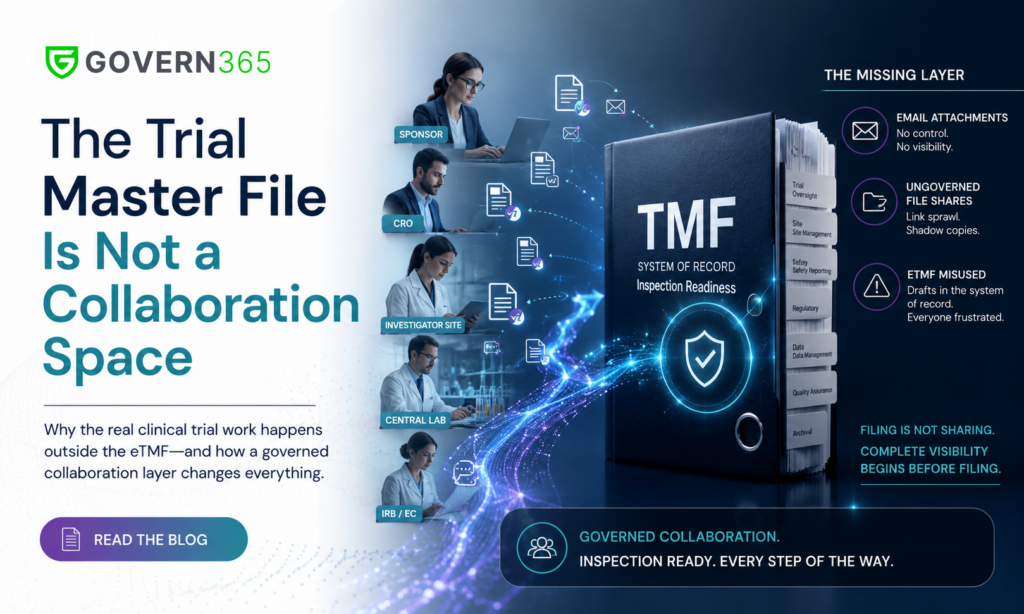
Before a site contract, a monitoring report, a safety letter acknowledgment, or a signed delegation log ever reaches the eTMF, it was drafted, negotiated, circulated, corrected, and approved – between a sponsor, a CRO, dozens of investigator sites, central labs, and IRBs. That exchange is the actual collaboration of a clinical trial. And at most organizations, it still runs on email attachments and ungoverned file-share links.
This is the same “missing layer” we described for regulatory submissions in the eCTD collaboration gap: the system of record is well governed, but the messy, external, multi-party work that feeds it is not. The trial master file has exactly the same gap – and arguably a bigger one, because clinical operations involves more external parties, over more years, than any submission.
What the Trial Master File Is – and What It Was Never Designed to Do
The TMF (paper) and the eTMF (its electronic successor) exist to satisfy ICH GCP: essential clinical trial documentation, organized in a recognized TMF structure – most companies follow the CDISC TMF Reference Model – filed contemporaneously, and ready for inspection at any moment. A modern eTMF system does this well: controlled vocabulary, milestone-driven completeness checks, audit trails on filed artifacts, inspector-ready views.
Notice what’s not on that list: negotiating a clinical trial agreement with a site’s legal department. Distributing a revised protocol and collecting acknowledgments from ninety sites. Sending investigator brochure updates and SUSAR safety letters, then chasing confirmations. Assembling the site initiation visit packet. Exchanging draft monitoring reports with a CRO for review before finalization.
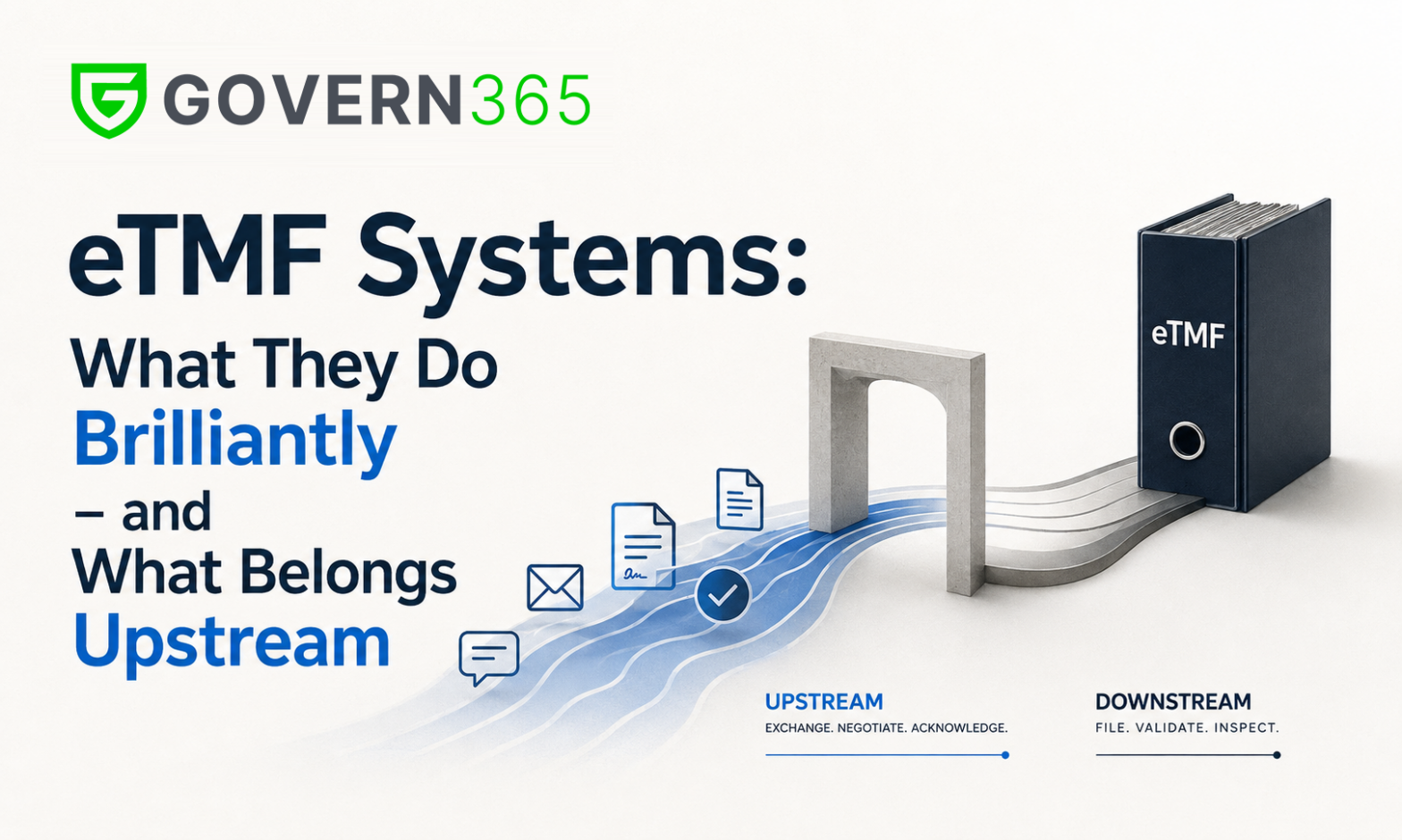
That work is iterative, external, and deadline-driven – everything a filing system is not built for. The eTMF is where documents end up. Trying to make it the place where documents are worked on frustrates everyone, which is precisely why teams route around it. Filing is not sharing.
Where TMF Clinical Trials Collaboration Actually Happens Today
In practice, the upstream layer of TMF clinical trials work runs on three mechanisms, and none of them is governed:
Email attachments. The default for site contracts, regulatory binder documents, and safety distributions. Once sent, there is no revoke, no expiry, no watermark, and no reliable record of who opened what. A safety letter forwarded from a coordinator’s inbox to a personal account is invisible to the sponsor forever.
Ungoverned portals and file-share links. CRO-hosted SharePoint sites, “anyone with the link” folders, and per-study workarounds. Link sprawl and shadow copies with no consistent access policy – and when the study ends, nobody turns anything off.
The eTMF itself, misused. Some teams grant external parties access to the eTMF to “collaborate,” polluting the system of record with drafts and forcing a filing tool to do workflow. QA hates it, sites are baffled by it, and inspectors see the sausage being made.
The result is familiar to anyone who has lived through an MHRA or FDA inspection scramble: reconstructing what was sent to which site, when, and who acknowledged it – from mailboxes. TMF completeness metrics look at what was filed; nobody can cleanly answer for what was shared.
The Governed Layer Upstream of Your eTMF System
The fix is not a bigger eTMF. It is a governed collaboration layer that sits upstream of the eTMF system, the same way a regulatory data room sits upstream of eCTD publishing – and the same way Govern 365 already works for regulatory affairs teams in the regulatory submission data room.
Because Govern 365 builds that layer inside your own Microsoft 365 tenant, clinical operations gets deal-room governance on the always-on, multi-party exchange that defines a trial:
- A room per relationship. Each CRO, each investigator site, each central lab gets its own governed workspace. Site 041 never glimpses Site 112’s contract terms, budgets, or correspondence.
- Named-user permissions, no guest sprawl. Coordinators, CRAs, and site staff see exactly the documents intended for them – nothing else in your tenant.
- Distribution with proof. Protocol amendments, IB updates, and safety letters go out through the room; views and downloads are logged per person, per document. Acknowledgment stops being an email-chasing exercise.
- Dynamic watermarking, expiry, and instant revoke. When a site closes out, when a CRO transitions, when a study ends – access ends with it, and every page carried the recipient’s identity while it lasted.
- A complete, exportable audit trail built on Microsoft Purview: the “what was shared” record that complements the eTMF’s “what was filed” record. Together they reconstruct the trial; either one alone cannot.
- Final documents flow to the eTMF. The room is where documents are negotiated and distributed; the eTMF remains the system of record for the final, filed artifact. Govern 365 complements Veeva Vault eTMF and similar systems – it does not compete with them.
And because the layer lives in Microsoft 365, your existing compliance stack – sensitivity labels, DLP, retention, conditional access – keeps applying, which also keeps clinical trial data sharing involving PHI on a HIPAA-compliant footing without standing up a parallel platform.
What This Looks Like in a Running Study
Take the highest-friction moments of a study and re-run them through a governed room:
Site startup. The site initiation visit packet – protocol, IB, lab manuals, delegation templates – is staged in the site’s room before the visit. The CTA is negotiated there, version by version, with the site’s legal team as named users. Nothing moves by attachment; every draft is one revocable link.
Safety distribution. A SUSAR letter posts once; ninety site rooms surface it simultaneously; the audit log shows, by name and timestamp, which coordinator at which site opened it. The follow-up list writes itself.
The investigator site file. Sites maintain their investigator site file from the same governed source of truth the sponsor distributed – reducing the reconciliation gap between sponsor TMF and site ISF that inspectors love to probe.
CRO transition or study close-out. Access is revoked in minutes, not “whenever IT gets to the guest accounts.” The exportable log becomes part of the trial’s story.
Your Trial Master File Records the Trial – It Doesn’t Run It
Your eTMF vendor has told you, correctly, that TMF health is about completeness, timeliness, and quality of filing. But the trial master file only records the trial; it doesn’t run it. The running happens in the exchange layer – and if that layer is email, your governance ends the moment you hit send.
So ask one question this week: for the last protocol amendment you distributed, can you prove who received it, who opened it, and when – without searching mailboxes? If the answer is no, the gap isn’t in your trial master file. It’s in everything upstream of it – and that is exactly the layer Govern 365 governs, at a flat rate, inside the Microsoft 365 tenant you already own.
Frequently Asked Questions
A trial master file is the collection of essential documents that allows a clinical trial’s conduct and data quality to be reconstructed and evaluated. Required under ICH GCP, it is maintained by the sponsor (with a corresponding investigator site file at each site) and must be inspection-ready at all times.
A TMF is the content – the essential documents themselves. An eTMF is an electronic system for filing, indexing, and managing that content, typically organized by the CDISC TMF Reference Model, with audit trails and completeness metrics. An eTMF system manages filed records; it is not designed for negotiating or distributing documents with external parties.
TMF structure is the standardized taxonomy used to organize essential documents – zones, sections, and artifacts. Most sponsors and CROs use the CDISC TMF Reference Model so that sponsors, CROs, and inspectors share a common filing map across studies.
The investigator site file is the site’s counterpart to the sponsor’s TMF: the essential documents held at the investigational site, such as the signed protocol, delegation log, IRB correspondence, and safety letters. Sponsor-TMF-to-ISF reconciliation is a common inspection focus, which is why governed, single-source distribution to sites matters.
Because it pollutes the system of record. Drafts, negotiations, and distribution chatter don’t belong in an inspection-ready file, and eTMF systems aren’t built for external, iterative work. Best practice is a governed collaboration layer upstream – documents are negotiated and distributed there, and only final artifacts are filed to the eTMF.
No. Govern 365 is the governed exchange layer between sponsors, CROs, sites, labs, and IRBs – upstream of the eTMF. Veeva Vault eTMF or a comparable system remains your system of record. Govern 365 provides the “what was shared, by whom, to whom” record that the eTMF’s “what was filed” record cannot.
The governed pattern is a data room per relationship inside the sponsor’s own Microsoft 365 tenant: named-user access for each CRO and site, watermarking, time-based expiry, instant revoke, and a per-document audit log. This replaces email attachments and “anyone with the link” folders for site contracts, safety letters, protocol amendments, and site initiation visit packets.
Related Reading
- The eCTD Collaboration Gap – the same missing-layer argument, applied to regulatory submissions
- Regulatory Submission Data Room – governed collaboration upstream of eCTD
- Life Sciences & Pharma Data Room – the industry pillar for biotech and pharma collaboration
- HIPAA-Compliant File Sharing in 2026 – the compliance anchor for PHI workflows
- Secure by Design: VDR Outcomes Inside Microsoft 365 – Niraj Tenany’s book on tenant-native secure collaboration
Ready to see it on your own tenant? Book a Govern 365 walkthrough and watch a governed site room go up in minutes – permissions, watermarks, expiry, and a distribution log your next inspection will thank you for. Prefer to start smaller? Read the eCTD collaboration gap post or email [email protected].