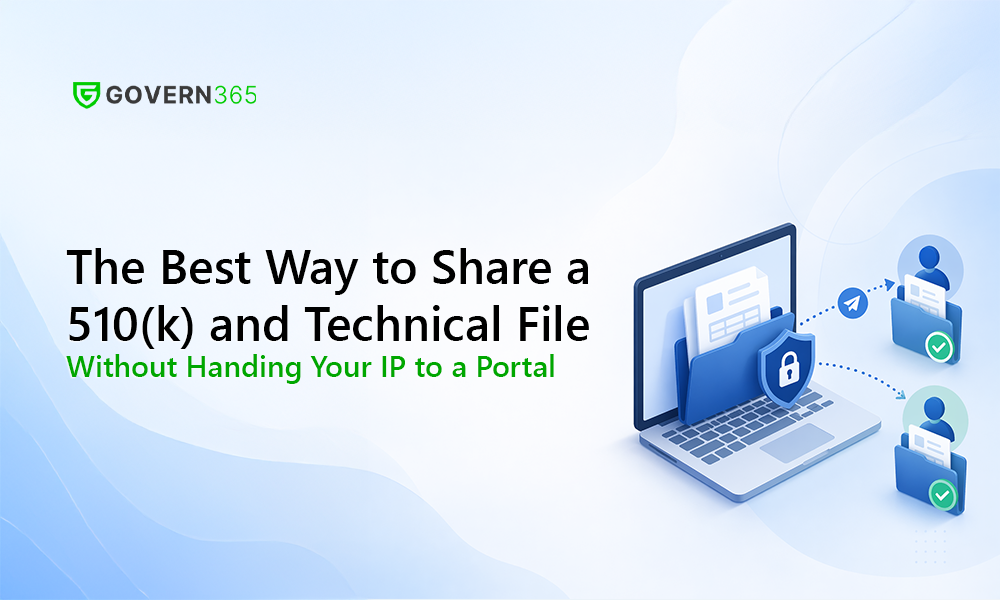
A 510(k) is not one document. It is a device description, engineering drawings, biocompatibility and sterilization reports, software documentation, a risk file, bench and clinical data, labeling, and a predicate comparison – assembled from work done by your own team and by a chain of outside parties: testing labs, a contract research organization, a regulatory consultant, and often the contract manufacturer who will build the device. Every one of them needs a piece of the technical file, and every handoff is a decision about secure FDA submission sharing whether you treat it as one or not.
Most regulatory teams do not treat it as one. They email a spec to a lab, drop a draft in a shared drive, and reassemble the responses by hand. It works, in the sense that submissions go out. It also quietly exposes the most valuable information your company owns – your design – across the widest external surface in the business, with no record you would want an FDA investigator or a notified-body auditor to see. This guide lays out the four ways teams actually share submission material, the five things “secure” has to mean for regulated work, and how each option holds up. The short version: the answer is not “buy a data room.” It is “stop exporting your crown jewels to control them.”
First, define what “secure” has to mean for a submission
“Secure” is a word every file-sharing tool claims. For an FDA submission it has a specific, testable meaning. Five requirements separate a defensible process from a hopeful one.
1. Partner isolation. Your biocompatibility lab must never see the contract manufacturer’s pricing, the CRO’s raw data, or even the fact that the other partners exist. Submission work routinely runs partners who are competitors with each other, and a single shared folder where everyone can see everyone is a leak waiting to be named.
2. Version integrity. When a lab runs a test, you need to prove which revision of the specification they tested against. “Everyone worked from the same controlled baseline, and this is exactly what we filed” is the spine of a defensible submission. Email cannot give you that; it scatters versions across inboxes by design.
3. A Part 11-grade audit trail. 21 CFR Part 11 expects a secure, computer-generated, time-stamped record of who created, modified, or deleted a record and when – one that does not obscure prior entries and is retained at least as long as the record itself. A folder of email threads is not that.
4. Data residency you control. Your design files and clinical data are trade secrets. The question “where does this data physically live, and who else can touch it” has a real answer, and for most sharing tools the answer is “in a vendor’s cloud.” For the highest-IP function in a device company, that should not be an afterthought.
5. Clean revocation and an AI stance. When the submission clears, access has to collapse – across links, previews, sync, and cached copies – in one action, not linger for months. And because every document you share can now be read by a partner’s AI assistant silently, you need an enforceable position on AI ingestion that travels with the file.
Hold the four common approaches against those five and the picture gets clear fast.
Option 1: Email and shared drives
This is the default, and it fails four of the five tests outright. There is no partner isolation – the moment you CC two labs or share a drive folder, your isolation model is “please don’t look.” There is no version integrity; the fifth reply-all attachment is now the de facto master and nobody can prove which one a lab used. There is no audit trail an investigator would accept. And revocation is a fiction: a file emailed out is gone, living in personal inboxes and on laptops you will never reach. Email was built to move messages, not to keep competing vendors apart, enforce one version, or produce a tamper-evident log. Asking it to run a regulated submission is asking the wrong tool to do three jobs it was never designed for.
Option 2: Consumer file-sharing (Dropbox, Box, Google Drive, WeTransfer)
A step up in convenience, not in control. Consumer-grade cloud storage gives you a link and basic permissions, but it puts your technical file in a third-party consumer cloud, gives you coarse folder permissions rather than true per-partner isolation, and produces access logs built for IT troubleshooting, not for a Part 11 defense. It is the tool teams reach for when email gets painful, and it trades one set of gaps for a slightly smaller set – while moving your design IP further outside your boundary.
Option 3: A standalone virtual data room
This is the “professional” answer, and it gets the most right. A standalone VDR – the category includes Intralinks, Datasite, ShareVault, iDeals, Ansarada, and Firmex, several of which market specifically to life sciences – delivers genuine per-partner isolation, watermarking, a governed Q&A channel, and an audit trail. For an episodic, high-stakes event, that is real value, and it is why these platforms dominate M&A and licensing deals.
The catch is structural, and it matters more for regulatory affairs than for a one-off deal. A standalone VDR is, by design, a separate cloud that you copy your data into. Your design files and clinical data leave your Microsoft 365 tenant and live in the vendor’s environment, behind the vendor’s identity model, on the vendor’s audit trail – a second place your IP can leak from and a second system you have to validate for Part 11. Many of these platforms are also optimized for pharma drug submissions – eCTD viewers, eTMF, IND and NDA workflows – rather than the device world’s eSTAR and 510(k) reality. And the commercial model rubs against how regulatory work behaves: published pricing surveys put per-page VDR pricing around $0.40 to $0.85 a page (roughly $7,000 per 10,000 pages) and per-user seats at $100 to $300 a month. A technical file is large and a submission program is long-lived and continuous, so a tool priced and scoped for a four-week deal is a poor fit for a workload that never really ends. When the “deal” is a submission that closes and reopens for the next device, you are either paying to keep the room or migrating your records out.
Option 4: A tenant-native data room (govern in place)
The fourth option removes the export entirely. Instead of copying your submission into someone else’s cloud to control it, you apply data-room-grade controls to the SharePoint, Entra ID, and Purview you already own. The technical file never leaves your Microsoft 365 tenant. Partners are granted scoped access to isolated rooms inside your boundary; identity runs on Entra ID; protection and the AI-ingestion stance ride on Purview sensitivity labels that travel with the document; and the audit trail is the Purview log you already keep, on your retention schedule. This is the model Govern 365 is built on, and it is the only one of the four that satisfies all five requirements without handing your crown jewels to a portal. You get the isolation, Q&A, watermarking, and audit of a data room, on the governance foundation you have already licensed and already validate.
Scoring the four options
| Requirement | Email & shared drives | Consumer cloud | Standalone VDR | Tenant-native (Govern 365) |
|---|---|---|---|---|
| Partner isolation | No | Weak (folder-level) | Yes | Yes |
| Version integrity (one controlled baseline) | No | Weak | Yes | Yes |
| Part 11-grade audit trail | No | No | Yes | Yes (native Purview) |
| Data residency you control | No | No – vendor cloud | No – vendor cloud | Yes – your tenant |
| One-action revocation + AI stance | No | No | Partial | Yes (Purview labels) |
| Built for standing, high-volume RA work | No | No | Priced for episodic deals | Yes |
| Second system to validate for Part 11 | n/a | Yes | Yes | No |
The recommendation
If you only run one submission every few years and IP exposure is modest, a standalone VDR is a reasonable buy and far better than email. But for a device company where regulatory affairs is a continuous function – premarket submissions, post-market files, supplier quality, inspections, all running at once – the better answer is to stop exporting documents to control them. Keep the technical file in the tenant you already govern, and put the data-room controls around it in place. You remove an entire third-party attack surface, you stop paying per page and per user for a workload that never stops, and you give your auditors one chain of custody instead of two. That is what secure FDA submission sharing looks like when it is designed for regulatory affairs rather than borrowed from the deal room.
See exactly how it works on the Govern 365 for Regulatory Affairs page, or book a demo and watch isolated partner rooms, a controlled baseline, and on-demand audit reporting run in a live Microsoft 365 tenant.
Frequently asked questions
The most secure approach keeps the technical file inside your own Microsoft 365 tenant and applies data-room controls in place, rather than copying it into a third-party portal. That gives you per-partner isolation, one controlled version, a Part 11-grade audit trail in Microsoft Purview, and one-action revocation – without your design and clinical IP leaving your boundary. The eSTAR package itself is transmitted to FDA through the CDRH Customer Collaboration Portal; everything leading up to it should stay under your control.
You can, but it fails the requirements that matter for regulated work. Email and shared drives offer no real partner isolation, no provable version control, no audit trail an FDA investigator or notified body would accept, and no meaningful revocation once a file has left. They are the single most common – and most exposed – way submission material gets shared.
They are a real improvement over email and they get isolation, Q&A, and audit right. The structural trade-off is that a standalone VDR copies your design and clinical data into the vendor’s cloud, behind the vendor’s identity and audit systems – a second place your IP lives and a second system to validate for Part 11. Many are also tuned for pharma eCTD drug submissions rather than device eSTAR/510(k) work, and their per-page or per-user pricing fits an episodic deal better than a continuous regulatory program.
With email, consumer cloud, and standalone VDRs, copies of your data live in a third party’s environment. With a tenant-native model like Govern 365, the data stays in your Microsoft 365 tenant – your SharePoint, your Entra ID identities, your Purview audit logs – and external partners are granted scoped access to it without it ever being exported.
Apply a Microsoft Purview sensitivity label that travels with the document and carries your enforceable position on AI ingestion. Because the file stays under your labeling and policy, that stance is enforced wherever the document goes – something a copy sitting in a third-party VDR cannot guarantee.
Related reading
- Govern 365 for Regulatory Affairs – controlled, isolated, auditable FDA submission collaboration in your tenant.
- Govern 365 Virtual Data Room – the tenant-native data room these controls are built on.
- Virtual Data Room Pricing Guide 2026 – how per-page and per-user VDR pricing actually adds up.
- Compliance with Govern 365 – audit trails, retention, and governance oversight inside Microsoft 365.
- Secure by Design – Niraj Tenany’s book on secure collaboration in Microsoft 365.
Take the next step
Book a Govern 365 regulatory data room demo to see secure FDA submission sharing run end to end – isolated partner rooms for labs, CROs, and contract manufacturers, a controlled submission baseline, governed Q&A, and audit reporting – in a live Microsoft 365 tenant. Prefer to read first? Pick up Secure by Design for the broader playbook on governed collaboration in Microsoft 365.