The virtual data room industry has discovered life sciences. ShareVault calls itself the data room of choice for medical device companies and is endorsed by the Biotechnology Innovation Organization and dozens of trade associations. Intralinks and Datasite run dedicated life sciences practices. iDeals, Ansarada, and Firmex all market secure rooms for biotech, clinical documentation, and regulatory submissions. The pitch is consistent and, on its face, reasonable: regulated document sharing is high-stakes, so use a purpose-built data room.
They are not wrong that you need a data room. They are wrong about where it should live. Every one of those platforms is a standalone virtual data room, which means the same thing in each case – to use it, you copy your design files, your clinical data, and your draft submissions out of your own environment and into the vendor’s cloud. For an M&A deal, that is a defensible trade. For regulatory affairs, which is a standing function handling the most valuable IP your company owns, it is the wrong architecture. This is the case for a regulatory virtual data room alternative that keeps your submission inside the Microsoft 365 tenant you already run.
To be fair to the category first: these are capable products. They deliver genuine per-partner isolation, dynamic watermarking, secure fence-view, governed Q&A, and real audit trails. ShareVault layers in eCTD viewing and document hyperlinking for drug submissions. Ansarada adds AI readiness scoring. Firmex is stable under large document volumes. If your only requirement were “run a secure deal room for a few weeks,” any of them would serve. Regulatory affairs has five requirements they do not serve as well, and they all trace back to the same root cause: a standalone VDR is someone else’s cloud.
1. Your crown jewels leave your boundary
A device company’s design files, source code, and clinical data are its most valuable trade secrets. A standalone VDR, by definition, stores a copy of them in the vendor’s infrastructure, behind the vendor’s identity system and the vendor’s logs. You have not protected your IP so much as relocated it – to a second environment you do not control, cannot fully audit, and have to trust. The threat model is not paranoid: third parties are now implicated in 15% of breaches, up 68% year over year (Verizon 2024 DBIR), and a single third-party billing vendor breach in 2019 exposed roughly 21 million patients and pushed that vendor into bankruptcy. Every additional cloud holding your technical file is another place it can leak from. Govern 365 keeps the file in your Microsoft 365 tenant and never copies it out – the data-room controls come to the data, not the other way around.
2. They are built for deals, not for a standing function
Virtual data rooms grew up serving M&A, fundraising, and licensing – episodic, time-boxed events with a clear close. Regulatory affairs is the opposite. Premarket submissions, post-market surveillance files, supplier quality records, design changes, and inspection readiness run continuously and overlap. A tool designed to spin up for a deal and spin down at signing does not match a function that never spins down. You end up either paying to keep deal rooms open indefinitely or migrating records out and back in for each submission – friction and lock-in that a standing workload should not have to absorb.
3. The pricing model fights the work
Standalone VDR pricing was shaped by the deal business, and it scales badly for regulatory volume. Published 2026 pricing surveys put per-page rates around $0.40 to $0.85 (roughly $7,000 per 10,000 pages) and per-user seats at $100 to $300 a month, with enterprise quotes running well past $25,000 a year. A technical file is large, a submission program is long, and the partner list – labs, CROs, consultants, contract manufacturers – is wide. The flat-fee, unlimited-user VDRs are a better fit on that axis, but they still bill you for a separate platform on top of the Microsoft 365 you already license. Govern 365 is priced per room, flat, with no per-page or per-user metering, on infrastructure you already pay for.
4. You run two of everything
Adopt a standalone VDR and you now operate two identity models, two audit trails, two protection schemes, and two systems that have to be validated for 21 CFR Part 11. Your Entra ID identities and your VDR identities are separate. Your Purview audit log and the vendor’s log are separate. When an FDA investigator or notified-body auditor asks you to demonstrate document control, you are stitching together two systems instead of pointing at one. Govern 365 runs on the identity (Entra ID), protection (Purview sensitivity labels), and storage (SharePoint) you have already deployed and already validate – one chain of custody, not two.
5. They cannot carry your AI stance
This is the newest gap and the one most VDRs have no answer for. The exfiltration vector is no longer only the file; it is the prompt. Any document a partner holds can be read by that partner’s AI assistant, silently and without notice. The only durable defense is a protection stance that travels with the document itself – a Microsoft Purview sensitivity label carrying your enforceable position on AI ingestion. A file copied into a third-party VDR sits outside your labeling and policy, so that stance does not travel with it. Because Govern 365 keeps the document under your Purview labels, the AI-ingestion position is enforced wherever the file goes.
A note on eQMS and Veeva
Standalone VDRs are not the only neighbors here. Document-centric eQMS and regulatory platforms – Veeva Vault, MasterControl, and similar – also handle submission content, and they are strong at managed, validated document lifecycles. They are a different category, though: heavyweight systems of record that your team works inside, not lightweight rooms for governed external collaboration with a lab or CRO. Many device companies run an eQMS for internal control and still fall back to email the moment they have to share outward, because the eQMS was never meant to be an external collaboration surface. Govern 365 fills exactly that gap – secure, isolated, auditable external sharing – on top of the Microsoft 365 your QMS content already lives near, without becoming a second system of record.
Side by side
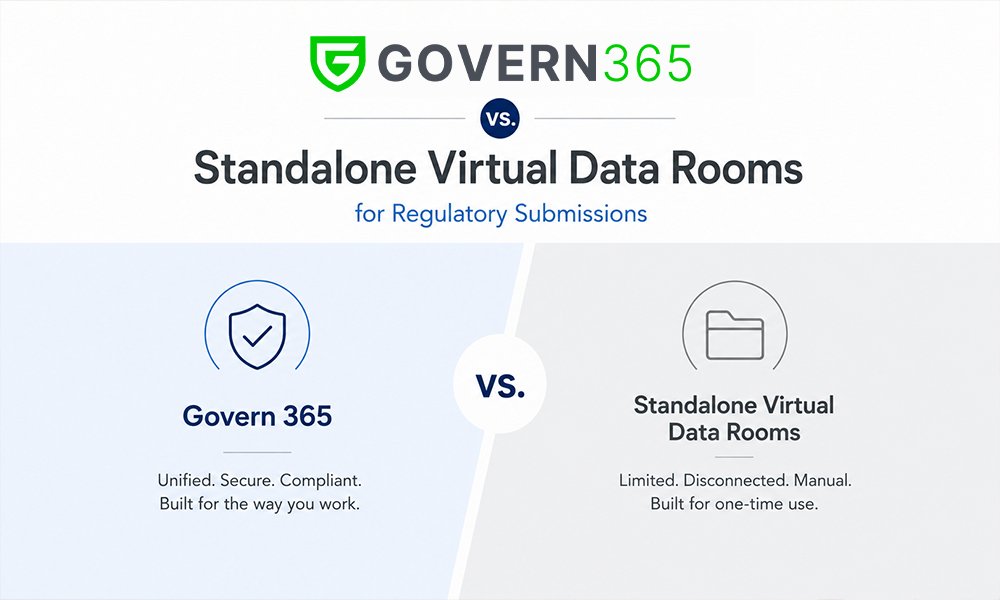
| Dimension | Standalone VDR (Intralinks, Datasite, ShareVault, iDeals, Ansarada, Firmex) | Govern 365 (tenant-native) |
|---|---|---|
| Where your IP lives | The vendor’s cloud | Your Microsoft 365 tenant |
| Architecture | Copy data out to control it | Govern in place, no export |
| Identity | Separate VDR accounts | Your Entra ID |
| Audit trail | The vendor’s log | Your Microsoft Purview log |
| Part 11 systems to validate | Two (M365 + VDR) | One |
| Designed for | Episodic deals (M&A, licensing) | Standing regulatory function |
| Typical pricing | Per page / per user / annual platform fee | Flat, per room, on licenses you own |
| AI-ingestion stance travels with file | No (outside your labels) | Yes (Purview labels) |
| External partner access | Accounts on the vendor platform | Scoped guest access into your tenant |
The bottom line
Standalone virtual data rooms are good products solving the problem they were built for – secure, time-boxed deal collaboration. Regulatory affairs is a different problem: a continuous, high-IP function where the data you would be copying out is the most valuable thing your company owns. The better answer is not to rent a more specialized external silo. It is to keep your submission inside the tenant you already govern and put data-room controls around it in place – the isolation, Q&A, watermarking, and audit of a VDR, without the second cloud, the second audit trail, the second validation burden, or the metered pricing. That is the regulatory virtual data room alternative Govern 365 was built to be.
If you are already weighing a specific platform, we have detailed breakdowns for the Intralinks alternative, Datasite alternative, and ShareVault alternative. Or book a demo and see the tenant-native model run against your own submission workflow.
Frequently asked questions
A standalone VDR stores your documents in the vendor’s cloud – you copy your data out of your environment to use it. Govern 365 applies the same data-room controls inside your own Microsoft 365 tenant, so your design and clinical IP never leaves your boundary. You get isolation, Q&A, watermarking, and audit without a second cloud, a second identity system, or a second platform to validate for Part 11.
No – they are capable products with real strengths, and several market specifically to life sciences. The issue for regulatory affairs is architectural: they host your IP in their cloud, they are designed and priced for episodic deals rather than a continuous function, and the protection stance does not travel with the file once it is copied out. Those trade-offs matter more for ongoing submission work than for a one-time M&A deal.
Standalone VDRs commonly charge per page, per user, or as an annual platform fee, with per-page rates around $0.40-$0.85 and per-user seats of $100-$300 a month by published 2026 surveys. Govern 365 uses flat, per-room pricing on the Microsoft 365 licenses you already own, with no per-page or per-user metering – a better fit for the large files and long timelines of regulatory work.
No. An eQMS is a validated internal system of record for managed document lifecycles. Govern 365 is for secure external collaboration – sharing a controlled technical file with labs, CROs, and contract manufacturers, isolated and auditable. The two are complementary: keep your eQMS for internal control and use Govern 365 for governed outbound sharing instead of falling back to email.
Yes. Partners get scoped guest access into an isolated room inside your tenant – no full Microsoft 365 license required – while your data stays protected and under your control. They never receive accounts on a separate vendor platform, and you never export your submission to bring them in.
It gives you one chain of custody. Every view, version, download, and answer is logged in Microsoft Purview on your retention schedule, under your identities, so when an investigator asks you to demonstrate document control you point at one system rather than reconciling your records with a vendor’s separate log.
Related reading
- Govern 365 for Regulatory Affairs – the tenant-native submission data room in detail.
- Intralinks Alternative | Datasite Alternative | ShareVault Alternative – head-to-head breakdowns.
- Virtual Data Room Cost Calculator – model the switch from a legacy VDR.
- Protection and Rights Management – Purview labels and the AI-ingestion stance that travel with the file.
- Secure by Design – Niraj Tenany’s book on secure collaboration in Microsoft 365.
Take the next step
Book a Govern 365 regulatory data room demo to see how a tenant-native data room delivers everything a standalone VDR does for FDA submissions – isolation, Q&A, watermarking, audit – without copying your IP into a second cloud. Prefer to read first? Pick up Secure by Design for the broader playbook on governed collaboration in Microsoft 365.