Virtual Data Room Software, Built on Microsoft 365
Run audit-ready diligence inside Microsoft 365 - structure, Q&A, exports, closeout - without per-page fees, per-user licensing, or archive charges. Unlimited users. Flat-rate pricing from $2,400/year.
Request a DemoData stays in your tenant · Unlimited users · Flat-rate pricing · MISA-validated security
Stop moving sensitive deal data into third-party VDR silos. Govern 365 delivers every VDR workflow - provisioning, Q&A, watermarking, audit, closeout, deal bible - inside your own Microsoft 365 tenant. Your data stays behind your firewall. Your security posture stays intact. Your costs stop scaling with page count.Trusted by deal teams & security officers | Audit-ready logs | Role-based access | Fast setup





UPCOMING WEBINAR
OCTOBER 13, 2026 | 10:00 AM PT
M365 VDR – How to Enable Security at Every Stage of the Sensitive Data Lifecycle Inside M365.
What Is a Microsoft 365-Native Virtual Data Room?
A Microsoft 365-native Virtual Data Room is a controlled, audit-ready workspace for running M&A due diligence, capital raises, private equity, legal, real-estate, life sciences, and other high-stakes deals — delivered entirely inside your organization’s own Microsoft 365 tenant instead of a third-party vendor’s cloud. It provides the same rigor as legacy VDRs — granular permissions, Bates-style document numbering, structured Q&A workflows, immutable audit logs, and packaged deal bible exports — without migrating a single file to an external environment.

For VDR providers the difference lies in – where the data lives. Legacy VDRs force sensitive deal content into their cloud, creating a new attack surface and a new set of compliance obligations. A Microsoft 365-native VDR keeps everything in SharePoint, Entra ID, and Purview — the same systems your security team already governs. The result: VDR-grade workflows, zero data exfiltration.
Types of Virtual Data Rooms
Explore our high-performance architectures engineered to handle distinct data lifecycle models natively within Microsoft 365.
Transaction VDRs
Execute complex sell-side and buy-side M&A transactions and corporate divestitures with complete control and speed.
Capital-Raise VDRs
Streamline PE/VC fundraising rounds and thorough IPO preparation through pre-configured compliance workspaces.
Board & Investor Reporting
Secure portals built to simplify regular board meetings and coordinate continuous investor reporting paths cleanly.
Industry-Specific Rooms
Dedicated environments structured to solve unique document compliance workflows across verticals:
Ongoing Supplier & Partner Rooms
Protect valuable intellectual property during multi-party joint ventures and ongoing supply-chain exchanges.
How to Evaluate a Virtual Data Room
Use this buyer’s checklist to assess platform architecture before settling on legacy solutions like Intralinks, Datasite, ShareVault, or Ansarada.
Pricing Model
Simple flat-rate enterprise structure to predict costs accurately. Calculate savings using our VDR Switch Calculator.
Surprise variable charges based on per-page rates or unpredicted per-GB overage costs.
Data Sovereignty
Files rest directly inside your own corporate cloud boundary, upholding local compliance policies securely.
Sensitive documents get duplicated and stored on separate, third-party vendor servers.
Security & Audit
Centralized digital rights management (DRM), granular item protection, dynamic watermarks, and immutable logging.
Fragmented, isolated security silos with disconnected audit tracking and high administrator overhead.
External Access
External institutional guests authenticate seamlessly using industry standard Microsoft Entra ID B2B guest logins. Details on our access control page.
High external user friction due to complex password resets and unsecured standalone local accounts.
Q&A Workflow
Streamline active diligence with role-based routing, rule-driven intake, and activity reporting on our Q&A and Analytics engine.
Clunky email threads and flat Excel lists that create security risks and response bottlenecks.
Closeout Process
Generate secure, comprehensive deal bibles, deploy automated archiving rules, and issue compliant certificates of destruction.
Unprotected raw exports on physical flash drives or endless monthly fee extensions to keep data hosted.
Switching Cost
Migrate quickly and painlessly without data-transfer friction. Discover more in our platform switch blueprints: Intralinks alternative, Datasite alternative, and ShareVault alternative.
Data lock-in hurdles designed to trap your team within legacy workflows.
Common VDR Use Cases
See how organizations keep documents secure, organized, and visible throughout cross-border business workflows.
M&A Due Diligence
Accelerate corporate development pipelines cleanly. Securely run your buy-side asset evaluations on our M&A solutions hub and read specialized insights on our M&A VDR due diligence guide.
PE & Biotech Fundraising
Raise institutional capital with total data control. Establish your platform via our PE fundraising portal and explore our blueprint on Life Sciences Biotech Fundraising VDR operations.
Board Rooms & Audit Committees
Distribute sensitive board packs and audit details with persistent zero-trust encryption. Structure your secure communications gateway at our Board Meeting page.
Life-Sciences & IP Custody
Safeguard molecular structures, patent configurations, and global clinical trials. Implement airtight access policies outlined on our Life Sciences VDR page.
Energy Project Financing
Deliver critical grid blueprints and regulatory filings safely to external consortia. Review structural components at our Energy and Infrastructure page.
Supplier & Partner Exchanges
Enable frictionless engineering and vendor project iterations without data leakage risks. Manage workflows on our Supplier and Partner collaboration page.
Virtual Data Room Glossary
A concise dictionary compiling legacy data-room terminology alongside modern zero-trust security concepts.
Deal Bible
The compiled comprehensive cryptographic record containing all transacted materials and exact log structures delivered upon transactional closure.
Bates Numbering
A sequential legal indexing mechanism applied automatically across discovered documents to provide unambiguous reference frames during corporate diligence reviews.
Fence Groups
Highly granular logical perimeters that prevent specific adversarial bidder profiles from viewing adjacent cross-tenant deal segments within the same portal.
Q&A Routing
Automated rule-based routing pipelines that intelligently push submitted bidder queries to mapped subject experts while capturing strict compliance audit points.
Watermarking
The dynamic imposition of identifying recipient metadata, IP address details, and date matrices across active browser viewports to stop document theft.
DRM
Digital Rights Management protocols that allow administrators to instantly revoke file access permissions even after documents are downloaded externally.
Entra B2B
Microsoft’s native cross-tenant identity broker enabling secure external guest authentication without running parallel custom password systems.
MISA
The Microsoft Intelligent Security Association ecosystem, ensuring native application frameworks integrate directly with global security systems.
Audit Log
An immutable chronological timeline capturing all system actions, click paths, print commands, and document adjustments across the space lifecycle.
Certificate of Destruction
A certified, legally verifiable token proving completely compliant extraction and cleanup of transaction records on closure.
Built for High Stakes Transactions
VDR outcomes – without a VDR silo.

Controlled Access
Granular, role-based access – The foundation for deal room security

Secure External Collaboration
Frictionless guest access for bidders, auditors, and investors – no new accounts

Audit Ready Visibility
Every view, download, and interaction logged for compliance-grade auditability

Confidentiality by Default
Watermarking, view only enforcement, and DRM protection that travels with every file

Time Bound Access
Automatic expiration, permission revocation, and clean closeout when the deal ends

Professional External Experience
A polished room experience that buyers expect from enterprise VDR software

The Experience Layer
Sophisticated governance meets seamless execution. Deploy, manage, and close deals within a unified, high-performance environment.
Provision & Structure
Provision a self-service virtual data room in minutes — templated structure, automated numbering, consistent access policies from day one.
Self-Provisioning
Business users can spin up a Virtual Data Room through a guided creation flow—no IT tickets, no manual setup.
VDR Templates
Use pre-built room blueprints for M&A, fundraising, audits, or board reporting. Standardized folder structure and access models.
Automated Numbering
Ensure diligence readiness from day one with automatic document indexing and numbering—no spreadsheets required.
Run the Process
Run the deal inside the room — structured Q&A, curated file exports, and bidder engagement analytics replace email chaos.
VDR Q&A
Controlled, Auditable Workflow
Selected Files Export
Create curated buyer packs or sharing bundles with a single click—without breaking permissions.
Request a Personalized DemoCloseout
Close the deal cleanly — archival, deal bible export, and certificate of destruction give you a defensible record.
VDR Archival
Close the room and archive it back into SharePoint under policy control. No loss of access.
Deal Bible Export
Generate a complete closing binder—documents, Q&A, and activity history—packaged permanently.
VDR eSignature
Complete the deal with integrated signing workflows and preserve signed artifacts inside the room.
Experience Differentiators
Unmatched capabilities designed to handle the most complex cross-tenant collaboration hurdles and data intelligence needs.
Vault – External Room Experience
Provide external parties a clean, intuitive access surface—even when tenant restrictions would normally block collaboration.
Gideon AI – VDR Copilot
Turn the data room into an intelligent workspace:
- Summarize large document sets
- Answer diligence questions faster
- Surface risks, gaps, and key evidence
Single‑Click Deployment
Move from deal approval to live VDR in minutes—not days.
How It Works
Create the Data Room
Choose a template, assign owners, and define access rules for secure collaboration.
Publish & Run
Invite participants, manage documents, run Q&A, and monitor engagement.
Close & Retain
Archive, export the deal bible, and enforce lifecycle policies automatically.
Why Not a Legacy VDR?
| Legacy VDRs |  |
|---|---|
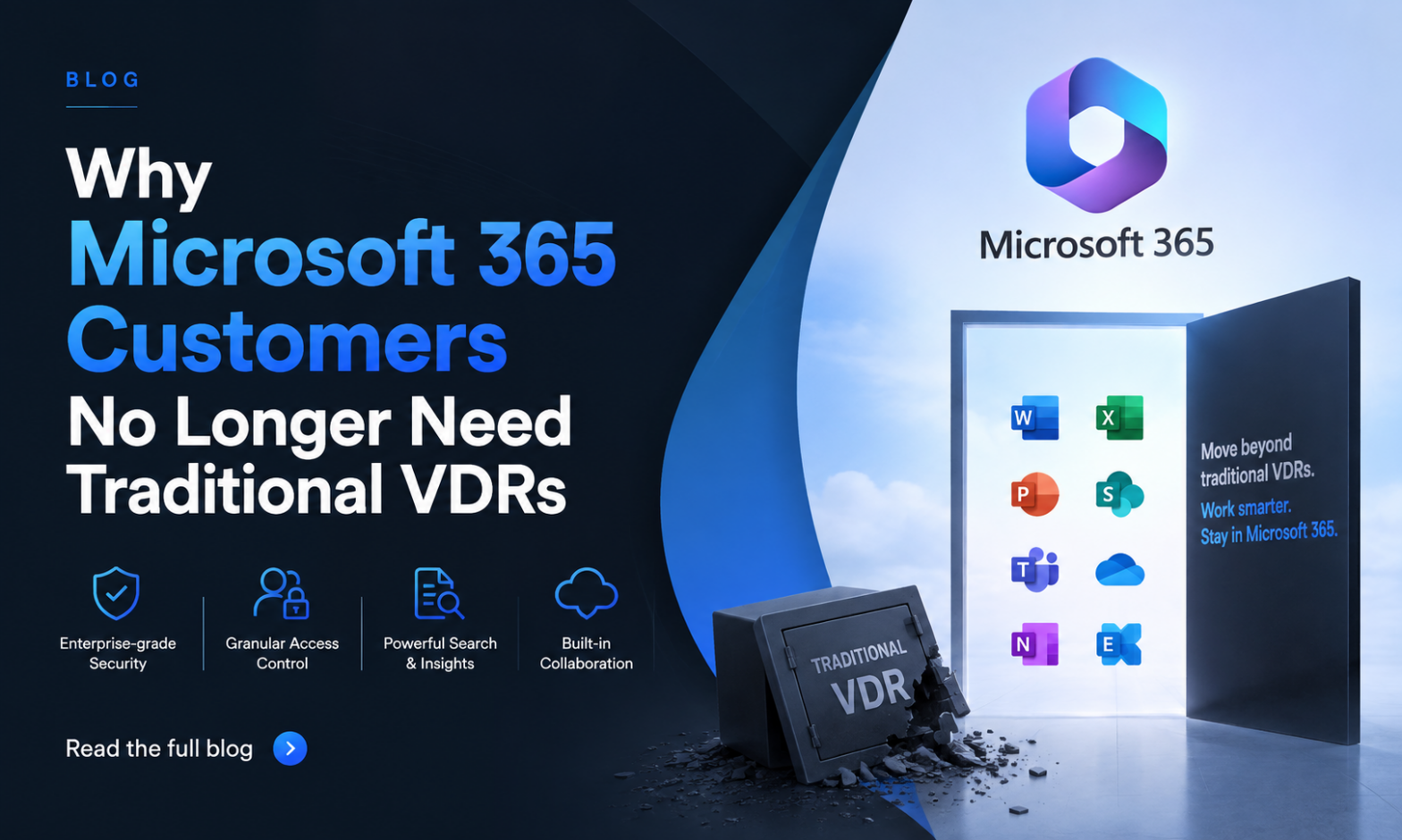
| Data lives in their cloud | 100% data sovereignty in your tenant |
| Per‑page, per‑user, and archive fees | Predictable flat‑fee pricing |
| Proprietary interfaces and workflows | Native Microsoft 365 experience |
You already pay for Microsoft 365. Stop renting your own data back from a third party.
Proof Points
- Unlimited users and data
- No storage or archive overages
- Audit‑ready logs by default
Frequently Asked Questions
Yes. Govern 365 delivers every VDR workflow Intralinks and Datasite support — Q&A, watermarking, audit logs, document numbering, selected file exports, and closeout deal bibles — directly inside your Microsoft 365 tenant. Most customers migrate between deals: run out the current deal on the legacy VDR, launch new deals on Govern 365. The VDR Switch Calculator models the cost savings against your current per-page contract.
Entirely inside your Microsoft 365 tenant — specifically, in SharePoint Online with Entra ID for identity and Microsoft Purview for protection and retention. Nothing is stored on Govern 365 infrastructure. Your existing SOC 2, HIPAA, GDPR, and ISO 27001 certifications apply to the VDR the same way they apply to the rest of your SharePoint content. No parallel compliance posture to manage.
Unlike legacy VDRs, there’s nothing to “archive out” — the data already lives in your Microsoft 365 tenant. Closeout is a state change, not a data migration. You can (1) archive the room with read-only preservation, (2) export a complete deal bible packaging every document, Q&A, and activity log, or (3) dispose of the content under your retention policy with a certificate of destruction. No archive fees, no archive access charges, no CDs in the mail.
No. External users — bidders, auditors, investors, advisors — authenticate with their own corporate identity through Microsoft Entra ID B2B. No new accounts, no new passwords, no Microsoft 365 license cost on your side. For guests whose organizations block cross-tenant sharing, the Vault portal provides brokered access that also requires no Microsoft license. Most customers find 80-90% of external users authenticate through Entra B2B natively.
Minutes. Self-service provisioning launches a fully configured VDR from an industry template — folder structure, default permissions, watermark policy, and retention rules already in place. Business users spin up rooms without IT tickets, vendor handoffs, or manual setup calls. Most customers go from deal approval to live VDR in under an hour. Legacy VDRs typically require 24-72 hours and a vendor-side project manager. See Lifecycle Management
Per VDR. Govern 365 uses flat-rate annual pricing based on the number of active data rooms, with unlimited users and unlimited storage on every edition. Founder Edition starts at $2,400/year for 1 VDR. Editions scale to Team (5 VDRs, $8,500), Growth (15, $16,000), Corporate (35, $30,000), and Enterprise (unlimited). No per-page fees, no user licensing fees, no per-GB storage fees, no archive fees. See Virtual Data Room Pricing
Yes. Each edition covers a specific number of active VDRs running in parallel with fully independent permissions, templates, Q&A threads, and audit trails. A bidder in Deal A cannot discover that Deal B exists, and deal teams can’t accidentally cross-share between rooms. Fence visibility within a single deal prevents bidder groups from seeing each other.
Whatever your Microsoft 365 tenant has configured. If your environment carries SOC 2, HIPAA, GDPR, ISO 27001, or FedRAMP certifications, Govern 365 inherits those controls automatically — sensitivity labels, DLP policies, retention rules, audit logging, conditional access, MFA enforcement. There’s no parallel vendor compliance posture to vet. Govern 365 is also MISA-validated (Microsoft Intelligent Security Association) for advanced orchestration of Microsoft’s security stack.
Yes. Microsoft Purview DRM encrypts files and binds them to a rights policy — view, edit, print, forward — that’s enforced wherever the file travels. A forwarded file that lands in an unauthorized inbox won’t open. Combine DRM with dynamic watermarking (user, timestamp, IP) and you have layered protection: rights enforcement for what the file can do, watermarks for forensic traceability if it leaks anyway.
Insights | Testimonial


Insights | Blog