Search for CIM software and you’ll notice something odd: the category doesn’t really exist. There’s no shelf of products built for the confidential information memorandum the way there is for, say, cap tables or e-signatures. What you find instead is the truth of how most deals actually run – the CIM’s life is scattered across four or five tools that were never designed to work together, and the most sensitive document a company ever produces is the thing falling through the gaps.
I’ve watched this stack assemble itself on deal after deal. So rather than review products that don’t quite exist, let me walk through the five tools a CIM actually touches, where each one breaks, and what it looks like when the whole lifecycle – drafting, distribution, and tracking – lives in one governed place instead.
What CIM software would actually have to do
First, the job description. A CIM goes through fifteen or more revisions over several months, touched by the banker, the CEO, the CFO, and counsel. It then goes out to dozens of NDA-signed buyers, each of whom should see a watermarked, view-only copy that can be pulled back the moment they exit the process. And through all of it, the deal team wants to know who’s reading what. Draft, distribute, track, retire. Any honest definition of CIM drafting software or CIM distribution tooling has to cover that full arc. Keep that arc in mind as we go through the stack.
1. Word and email: where most CIMs are actually made
Not a punchline – a fact. The overwhelming majority of CIMs are written in Microsoft Word and circulated for review as email attachments. Word is genuinely the right authoring tool; the problem is everything around it. Fifteen revisions over email produces “CIM_final_v9_LEGAL.docx” in six inboxes, no authoritative version, and no protection on any copy. The months of drafting are the most sensitive collaboration in the entire process, and in the typical stack they happen with no governance at all.
2. Standalone virtual data rooms
Intralinks, Datasite, and their peers are the closest thing to an established answer, and for the distribution stage they’re competent: watermarking, view-only enforcement, access logs. Two structural problems, though. They arrive late – a virtual data room for CIM distribution gets provisioned after the document is finished, so the drafting months are outside its walls entirely. And they run in the vendor’s cloud, which means the company’s most sensitive document is copied out of the seller’s security boundary at precisely the moment it matters most. You also pay deal-scoped pricing for what amounts to one stage of use. We’ve written more about that trade in the M&A sell-side use case.
3. Deal marketing and banker CRM tools
The buyer pool – who’s been teased, who signed the NDA, who got the CIM, who’s gone quiet – typically lives in the banker’s CRM or, more often than anyone admits, in Excel. Useful for process management, but structurally disconnected from the documents themselves. The tracker says Bidder C received the CIM; it cannot say whether anyone at Bidder C opened it. CIM tracking in this stack is a record of what was sent, not what was read.
4. E-signature platforms
NDAs get executed in DocuSign or Adobe Sign, and the signature is where the stack’s most consequential gap opens up. The NDA is supposed to gate access to the CIM. But the tool that captures the signature has no connection to the tool that grants the access, so a human bridges the gap – reads the notification, opens the VDR or drafts the email, sends the document. Every manual bridge is a delay at best and a mis-send at worst, and nothing links the legal permission to the actual copy a buyer holds.
5. AI writing assistants
The newest arrival. AI is legitimately good at CIM work – first drafts, section iterations, tightening an executive summary – and deal teams are already using it, disclosed or not. The question your counsel will eventually ask is the one that matters: where does the draft go when it’s pasted into a chatbot? A CIM transiting a consumer AI service is a confidentiality event no NDA covers. If AI is going to touch deal documents, it has to run where the documents live, under the same controls.
The pattern: five tools, zero custody
Look back across the stack and the common thread is custody. Word owns the words, the VDR owns one stage of distribution, the CRM owns the buyer list, the e-signature tool owns the legal gate, and the AI owns whatever got pasted into it. Nobody owns the document’s whole life, and no single audit trail can reconstruct it. That’s not a tooling inconvenience. In a process where a leak can reprice or kill the deal, it’s the central risk.
The tenant-native alternative
This is the gap Govern 365 was built to close, and the design choice that makes it different is where it runs: inside the seller’s own Microsoft 365 tenant, not a vendor cloud.
Drafting happens in Word with real co-authoring, version history, draft watermarks, and Purview sensitivity labels applied from the first keystroke – the authoring tool everyone already uses, finally governed. Distribution is provisioned by the NDA itself: the signature event grants that buyer’s Entra ID guest access to a view-only, per-recipient-watermarked copy, revocable in one click. Tracking is per bidder – who opened the CIM, which sections held them, for how long – so the deal team reads seriousness weeks before IOIs arrive. AI-assisted drafting runs over the deal corpus inside the tenant boundary. And when the process closes, buyer copies are revoked and destroyed with a certificate to prove it, while one audit trail runs from first draft to final destruction.
Draft, distribute, track, retire. One environment, one security model, one record.
Side by side
| Capability | Word + email + Excel | Standalone VDR | Govern 365 |
|---|---|---|---|
| Drafting and versioning | Uncontrolled attachments | Not covered – arrives post-draft | Co-authoring, version history, draft watermarks |
| Sensitivity labels and DLP | None | Vendor controls, vendor cloud | Purview labels from the first keystroke |
| NDA-to-access link | Manual | Manual | Signature auto-provisions guest access |
| Distribution controls | None once sent | Watermarks, view-only | Per-recipient watermarks, view-only, one-click revocation |
| Buyer engagement analytics | None | Basic view logs | Per-bidder sections and dwell time |
| AI drafting | Whatever gets pasted where | Bolt-on, vendor-hosted | Inside the tenant boundary |
| Post-close destruction | Hope | Export and close-out | Certificate of Destruction, retained archive |
| Where documents live | Inboxes everywhere | Vendor’s cloud | Your Microsoft 365 tenant |
The bottom line
There is no CIM software category because the market answered the question in fragments. If you’re assembling a stack for an upcoming process, the fragments can work – bankers close deals on them every month. But go in knowing what the stack cannot give you: custody of the document across its whole life, a link between the NDA and the access it’s supposed to grant, and an audit trail anyone could reconstruct after the fact. If those matter – and for most sellers they matter more than any single feature – the answer isn’t a sixth tool. It’s running the lifecycle in the environment you already own.
Frequently asked questions
There’s no established product category. In practice, “CIM software” means the tools a confidential information memorandum passes through: Word for drafting, email for review, a virtual data room for distribution, a CRM or spreadsheet for buyer tracking, and an e-signature platform for NDAs. Govern 365 consolidates that lifecycle inside the seller’s Microsoft 365 tenant.
Word remains the standard authoring tool, increasingly with AI assistance for drafts and iteration. The differentiator isn’t the editor – it’s whether drafting happens under governance: co-authoring instead of attachments, version history, draft watermarks, and sensitivity labels on the file from day one.
Yes, and distribution is what VDRs do best: watermarking, view-only access, activity logs. Their limits are structural – they start after drafting is done, they hold your documents in the vendor’s cloud, and their buyer tracking stops at basic view logs.
In the traditional stack, they mostly don’t – the tracker records who received it. A governed environment records engagement per bidder: who opened the CIM, which sections they spent time in, and how often they returned. That behavioral data is a leading indicator of which buyers will submit serious IOIs.
It depends entirely on where the AI runs. Pasting CIM content into a consumer AI service moves your most sensitive document outside every control you have. AI drafting inside the tenant – over the deal corpus, under the same labels and DLP as the documents themselves – gives you the speed without the confidentiality event.
Standalone VDRs are typically priced per deal, per page, or per seat, and retired at close. Govern 365 is flat-fee capacity on infrastructure you already license, and the environment persists – the next deal, board portal, or fundraise runs in the same governed platform. See VDR pricing for the full comparison.
Related reading
- The Complete Guide to the Confidential Information Memorandum (coming soon)
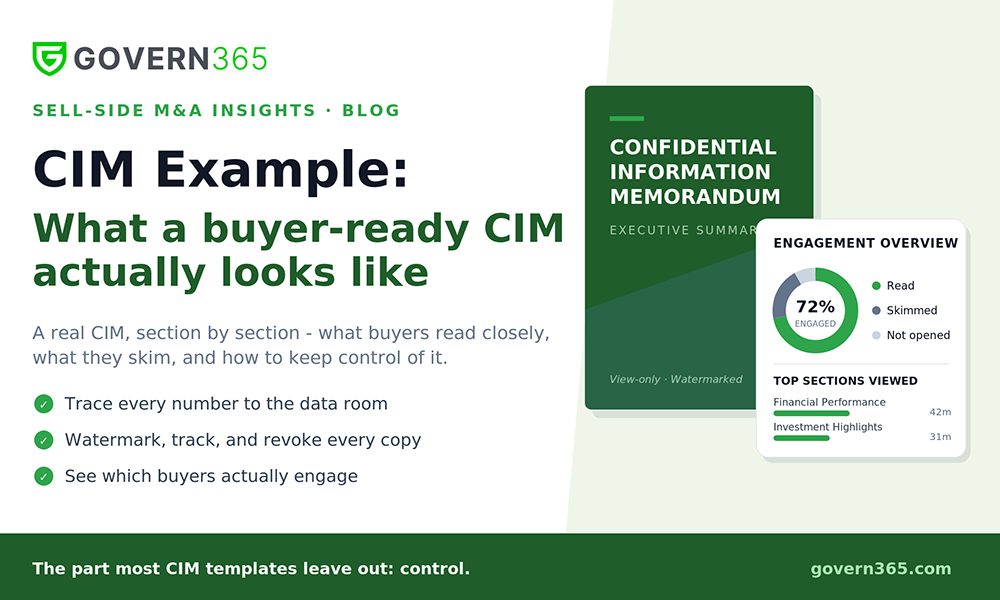
- CIM Example: What a Buyer-Ready CIM Actually Looks Like
- CIM Template: Section-by-Section Structure (coming soon)
- Govern 365 for Sell-Side M&A: The Entire Seller Journey in Your Tenant
- Explore the Govern 365 Virtual Data Room
See the whole lifecycle in one place. Bring a live or hypothetical process and we’ll walk CIM drafting, NDA-provisioned distribution, and per-bidder analytics inside a Microsoft 365 tenant – in 30 minutes. Book a personalized demo.