Virtual Data Room for Microsoft 365 – your tenant, your data, your deal
Run audit-ready diligence inside Microsoft 365 - structure, Q&A, exports, closeout - without per-page fees, per-user licensing, or archive charges. Unlimited users. Flat-rate pricing from $2,400/year.
Request a DemoData stays in your tenant · Unlimited users · Flat-rate pricing · MISA-validated security
Stop moving sensitive deal data into third-party VDR silos. Govern 365 delivers every VDR workflow - provisioning, Q&A, watermarking, audit, closeout, deal bible - inside your own Microsoft 365 tenant. Your data stays behind your firewall. Your security posture stays intact. Your costs stop scaling with page count.Trusted by deal teams & security officers | Audit-ready logs | Role-based access | Fast setup





What Is a Microsoft 365-Native Virtual Data Room?
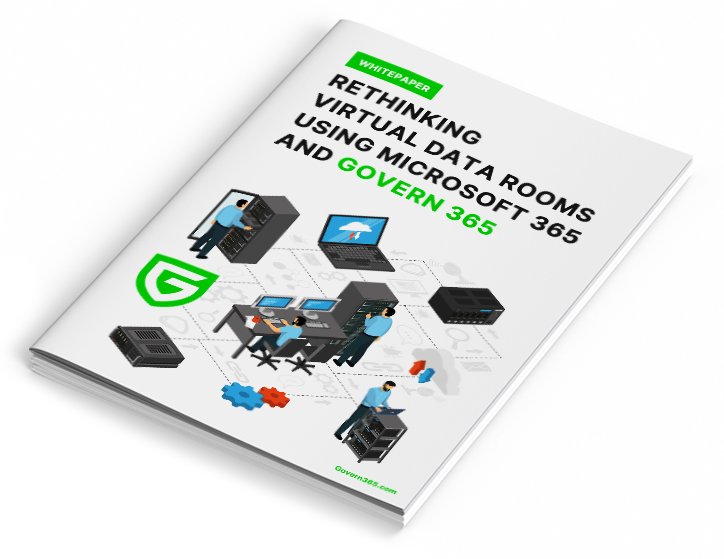
A Microsoft 365-native Virtual Data Room is a controlled, audit-ready workspace for running M&A due diligence, capital raises, and other high-stakes deals — delivered entirely inside your organization’s own Microsoft 365 tenant instead of a third-party vendor’s cloud. It provides the same rigor as legacy VDRs — granular permissions, Bates-style document numbering, structured Q&A workflows, immutable audit logs, and packaged deal bible exports — without migrating a single file to an external environment.

The difference is where the data lives. Legacy VDRs force sensitive deal content into their cloud, creating a new attack surface and a new set of compliance obligations. A Microsoft 365-native VDR keeps everything in SharePoint, Entra ID, and Purview — the same systems your security team already governs. The result: VDR-grade workflows, zero data exfiltration.
Built for High Stakes Transactions
VDR outcomes – without a VDR silo.

Controlled Access
Granular, role-based access – The foundation for deal room security

Secure External Collaboration
Frictionless guest access for bidders, auditors, and investors – no new accounts

Audit Ready Visibility
Every view, download, and interaction logged for compliance-grade auditability

Confidentiality by Default
Watermarking, view only enforcement, and DRM protection that travels with every file

Time Bound Access
Automatic expiration, permission revocation, and clean closeout when the deal ends

Professional External Experience
A polished room experience that buyers expect from enterprise VDR software

The Experience Layer
Sophisticated governance meets seamless execution. Deploy, manage, and close deals within a unified, high-performance environment.
Provision & Structure
Provision a self-service virtual data room in minutes — templated structure, automated numbering, consistent access policies from day one.
Self-Provisioning
Business users can spin up a Virtual Data Room through a guided creation flow—no IT tickets, no manual setup.
VDR Templates
Use pre-built room blueprints for M&A, fundraising, audits, or board reporting. Standardized folder structure and access models.
Automated Numbering
Ensure diligence readiness from day one with automatic document indexing and numbering—no spreadsheets required.
Run the Process
Run the deal inside the room — structured Q&A, curated file exports, and bidder engagement analytics replace email chaos.
VDR Q&A
Controlled, Auditable Workflow
Selected Files Export
Create curated buyer packs or sharing bundles with a single click—without breaking permissions.
Request a Personalized DemoCloseout
Close the deal cleanly — archival, deal bible export, and certificate of destruction give you a defensible record.
VDR Archival
Close the room and archive it back into SharePoint under policy control. No loss of access.
Deal Bible Export
Generate a complete closing binder—documents, Q&A, and activity history—packaged permanently.
VDR eSignature
Complete the deal with integrated signing workflows and preserve signed artifacts inside the room.
Experience Differentiators
Unmatched capabilities designed to handle the most complex cross-tenant collaboration hurdles and data intelligence needs.
Vault – External Room Experience
Provide external parties a clean, intuitive access surface—even when tenant restrictions would normally block collaboration.
Gideon AI – VDR Copilot
Turn the data room into an intelligent workspace:
- Summarize large document sets
- Answer diligence questions faster
- Surface risks, gaps, and key evidence
Single‑Click Deployment
Move from deal approval to live VDR in minutes—not days.
How It Works
Create the Data Room
Choose a template, assign owners, and define access rules.
Publish & Run
Invite participants, manage documents, run Q&A, and monitor engagement.
Close & Retain
Archive, export the deal bible, and enforce lifecycle policies automatically.
Why Not a Legacy VDR?
| Legacy VDRs |  |
|---|---|
| Data lives in their cloud | 100% data sovereignty in your tenant |
| Per‑page, per‑user, and archive fees | Predictable flat‑fee pricing |
| Proprietary interfaces and workflows | Native Microsoft 365 experience |
You already pay for Microsoft 365. Stop renting your own data back from a third party.
Proof Points
- Unlimited users and data
- No storage or archive overages
- Audit‑ready logs by default
Frequently Asked Questions
Yes. Govern 365 delivers every VDR workflow Intralinks and Datasite support — Q&A, watermarking, audit logs, document numbering, selected file exports, and closeout deal bibles — directly inside your Microsoft 365 tenant. Most customers migrate between deals: run out the current deal on the legacy VDR, launch new deals on Govern 365. The VDR Switch Calculator models the cost savings against your current per-page contract.
Entirely inside your Microsoft 365 tenant — specifically, in SharePoint Online with Entra ID for identity and Microsoft Purview for protection and retention. Nothing is stored on Govern 365 infrastructure. Your existing SOC 2, HIPAA, GDPR, and ISO 27001 certifications apply to the VDR the same way they apply to the rest of your SharePoint content. No parallel compliance posture to manage.
Unlike legacy VDRs, there’s nothing to “archive out” — the data already lives in your Microsoft 365 tenant. Closeout is a state change, not a data migration. You can (1) archive the room with read-only preservation, (2) export a complete deal bible packaging every document, Q&A, and activity log, or (3) dispose of the content under your retention policy with a certificate of destruction. No archive fees, no archive access charges, no CDs in the mail.
No. External users — bidders, auditors, investors, advisors — authenticate with their own corporate identity through Microsoft Entra ID B2B. No new accounts, no new passwords, no Microsoft 365 license cost on your side. For guests whose organizations block cross-tenant sharing, the Vault portal provides brokered access that also requires no Microsoft license. Most customers find 80-90% of external users authenticate through Entra B2B natively.
Minutes. Self-service provisioning launches a fully configured VDR from an industry template — folder structure, default permissions, watermark policy, and retention rules already in place. Business users spin up rooms without IT tickets, vendor handoffs, or manual setup calls. Most customers go from deal approval to live VDR in under an hour. Legacy VDRs typically require 24-72 hours and a vendor-side project manager. See Lifecycle Management
Per VDR. Govern 365 uses flat-rate annual pricing based on the number of active data rooms, with unlimited users and unlimited storage on every edition. Founder Edition starts at $2,400/year for 1 VDR. Editions scale to Team (5 VDRs, $8,500), Growth (15, $16,000), Corporate (35, $30,000), and Enterprise (unlimited). No per-page fees, no user licensing fees, no per-GB storage fees, no archive fees. See Virtual Data Room Pricing
Yes. Each edition covers a specific number of active VDRs running in parallel with fully independent permissions, templates, Q&A threads, and audit trails. A bidder in Deal A cannot discover that Deal B exists, and deal teams can’t accidentally cross-share between rooms. Fence visibility within a single deal prevents bidder groups from seeing each other.
Whatever your Microsoft 365 tenant has configured. If your environment carries SOC 2, HIPAA, GDPR, ISO 27001, or FedRAMP certifications, Govern 365 inherits those controls automatically — sensitivity labels, DLP policies, retention rules, audit logging, conditional access, MFA enforcement. There’s no parallel vendor compliance posture to vet. Govern 365 is also MISA-validated (Microsoft Intelligent Security Association) for advanced orchestration of Microsoft’s security stack.
Yes. Microsoft Purview DRM encrypts files and binds them to a rights policy — view, edit, print, forward — that’s enforced wherever the file travels. A forwarded file that lands in an unauthorized inbox won’t open. Combine DRM with dynamic watermarking (user, timestamp, IP) and you have layered protection: rights enforcement for what the file can do, watermarks for forensic traceability if it leaks anyway.
Insights | Testimonial


Insights | Blog