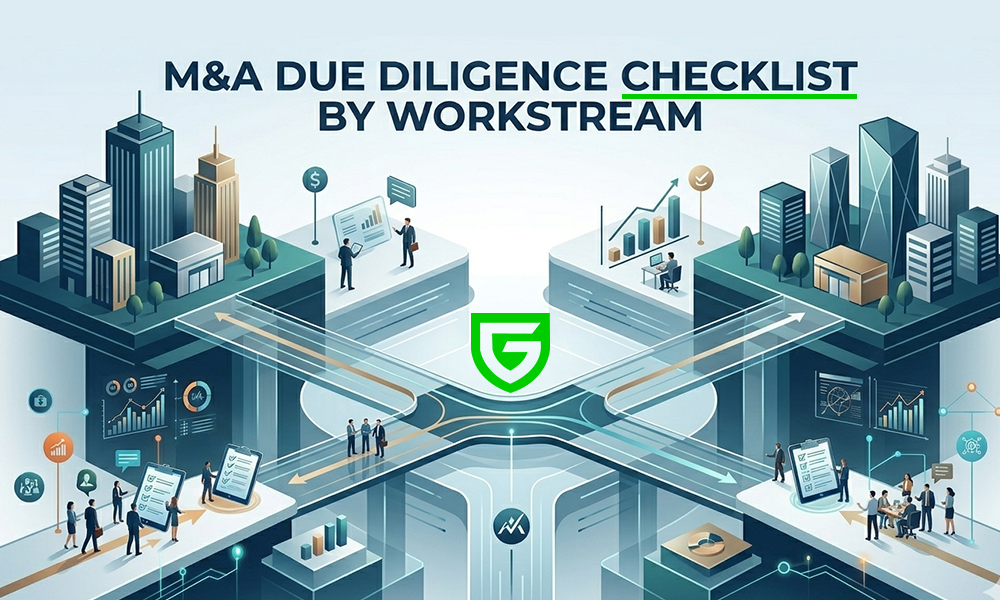
A complete M&A due diligence checklist covers 12 workstreams and roughly 180 individual items: corporate records, financial, tax, legal and litigation, intellectual property, commercial and customer, contracts, human resources, technology and IT, data privacy and security, regulatory and compliance, and environmental. Most middle market deals run a 60 to 90 day diligence window, and inadequate diligence is cited as the primary cause of deal failure by more than 60% of executives. This guide breaks the checklist down by workstream, flags the items that disproportionately blow up deals, and shows you how to organize all of it inside your own Microsoft 365 tenant rather than uploading it to a third party cloud.
Use this M&A due diligence checklist whether you are the buyer building a request list, the seller populating a data room, or a deal team lead deciding what to prioritize in a compressed timeline.
How to Use This Checklist
Three things to do before you copy a single line item into your project plan.
1. Match the checklist to the deal. Not every item applies to every transaction. A SaaS acquisition needs deep IP and data privacy diligence; a manufacturing acquisition needs environmental and real estate diligence; a regulated services acquisition needs regulatory and licensing depth. Mark items as Critical, Standard, or Conditional based on the deal’s industry, size, and structure.
2. Assign a workstream owner per category. Financial diligence belongs to the buy side CFO or a hired financial diligence firm. Legal diligence belongs to outside counsel. IP, IT, and data privacy belong to internal subject matter experts or specialized advisors. A single project manager owns the whole list and chases gaps.
3. Set up the data room before you ask for documents. The folder structure you pick on day one determines how findable everything is for the next 90 days. Bidders, advisors, and counsel should be able to navigate by workstream without asking the seller’s deal team where anything is. See the data room organization section below.
M&A Due Diligence Checklist
12 Workstreams, 180+ Items for your deal.
Buyer Side versus Seller Side Diligence
The same checklist applies to both sides, but the work product is different.
Sellers use the checklist to build a clean, complete data room before bidder access opens. The work is roughly four to six weeks of document collection, redaction, and indexing. A seller who runs this exercise well shortens the diligence window by 30 to 50% and reduces price renegotiation pressure.
Buyers use the same checklist to build the diligence request list and assign work across counsel, accountants, and internal subject matter experts. Buyer side work continues through Letter of Intent (LOI), exclusivity, and into the Sale and Purchase Agreement (SPA) negotiation.
The checklist itself is a shared artifact. The best deal teams maintain it as a single tracker (separate from the data room itself) that both sides can see, with one column for what the seller has provided and one for the buyer’s status (received, reviewed, follow up requested, cleared).
Red Flags by Workstream
Items in this list are the recurring patterns that derail deals.
| Workstream | Red Flag |
|---|---|
| Corporate Records | Cap table that does not reconcile to the stock ledger |
| Financial | Customer concentration above 30% with no contractual lock in |
| Tax | Multi state sales tax nexus with no filings |
| Legal | Active or recently settled employment class action |
| IP | Trademarks or domain registrations in a founder’s name |
| Commercial | Top 10 customer contracts with change of control termination |
| Material Contracts | Government contracts without novation provisions |
| HR | Misclassified independent contractors with state law exposure (California AB 5) |
| Technology and IT | No SBOM, no disaster recovery test history |
| Data Privacy | Unreported breach in the last five years |
| Regulatory | Lapsed industry license or unfiled CFIUS notice |
| Environmental | Phase I that flagged but no Phase II |
Timeline: What Happens When
A typical middle market diligence timeline runs 60 to 90 days from LOI to close. Compress it below 45 days and quality suffers in predictable ways.
| Week | Phase | Activities |
|---|---|---|
| 0 (pre LOI) | Preliminary | Seller assembles teaser materials; CIM exchanged; preliminary financials shared under NDA |
| 1-2 | LOI signed | Buyer and seller align on diligence scope; data room opens with corporate, financial, and high level commercial documents |
| 3-4 | Initial diligence | Workstream owners review documents; first round of follow up requests; QoE provider begins |
| 5-6 | Deep diligence | Customer reference calls; site visits; IP and IT audits; environmental site assessments |
| 7-8 | Q&A and clarification | Follow up questions; second round of follow ups; key issue resolution |
| 9-10 | SPA negotiation | Findings translated into representations, warranties, and indemnities; purchase price adjustments negotiated |
| 11-12 | Final diligence and signing | Final disclosure schedules; bring down certificates; consents and approvals obtained |
How to Organize This in Your Data Room
This is the section every other M&A checklist skips. Document gathering is one half of the work; the other half is making the documents findable for everyone who needs to read them under deal pressure.
Folder structure. Mirror the 12 workstreams above as your top level folder structure. Inside each, create sub folders that match the line items. This is the structure that bidders and their advisors expect to see; it cuts orientation time on day one of bidder access from hours to minutes.
Permissions by workstream. Different stakeholders see different folders. Financial diligence opens to the buyer’s QoE provider before commercial diligence opens to the buyer’s commercial diligence firm. Legal counsel sees litigation and IP. Site visit teams see operations and facilities. Granular permissions per folder per group is the difference between a deal team and a leak.
Indexing and Q&A. Inside the data room, every document should have a clean filename and (where possible) an extracted text version so that full text search works. Q&A should live in a structured queue, not in email, so questions and answers become part of the record.
The Govern 365 approach. Most legacy VDRs require you to upload every document into the vendor’s proprietary cloud. Your data leaves your security perimeter and lives in a third party SaaS environment for the duration of the deal and beyond, if you keep it archived there. The Govern 365 approach keeps every document inside your existing Microsoft 365 tenant. Permissions are managed by Entra ID. Sensitivity classification is handled by Microsoft Purview labels. Bidders and advisors access the deal room through a Vault layer that does not require them to use B2B guest access in their own tenant. When the deal closes, the data does not need to be migrated back; it is already where it belongs.
For organizations that run multiple deals a year on a Microsoft 365 foundation, this is the difference between paying a per page fee every time and using infrastructure you already own. See the Govern 365 M&A use case page and the VDR Switch Calculator for the cost side of this comparison.
Bottom Line
A good M&A due diligence checklist is comprehensive enough that nothing critical falls off the list, and structured enough that 180 items do not paralyze a deal team running on a 60 day clock. The 12 workstreams above cover the territory. The folder structure, permissions, and Q&A workflow inside the data room determine whether the team actually finishes diligence on schedule.
For sellers, the checklist is the document collection plan. For buyers, it is the request list and the scoring rubric. For both, the data room is where the work happens, and the choice of data room platform shapes what is possible inside the diligence window.
If you are evaluating data rooms for your next deal, start with the M&A virtual data room overview or request a demo of Govern 365 to see how a tenant resident VDR organizes a deal of this scope inside Microsoft 365.
Frequently Asked Questions
The 12 standard workstreams are corporate records and good standing, financial, tax, legal and litigation, intellectual property, commercial and customer, material contracts, human resources, technology and IT, data privacy and cybersecurity, regulatory and compliance, and environmental and real estate. A complete checklist covers roughly 180 individual document and information items across these categories.
Middle market deals typically run 60 to 90 days from Letter of Intent (LOI) to closing. Compressing diligence below 45 days reduces quality and increases the risk of missed exposures. Larger and more complex deals routinely run 90 to 180 days, especially when CFIUS, antitrust, or industry specific regulatory approvals are required.
Buyer side diligence is the investigation a prospective buyer runs to verify what they are acquiring. Seller side diligence (also called sell side or vendor due diligence) is the work a seller does in advance to assemble a clean data room and pre empt buyer findings. Sellers who run thorough sell side diligence typically close 20 to 40% faster and at higher valuations.
A complete M&A data room contains roughly 180 documents organized across 12 workstreams: corporate, financial, tax, legal, IP, commercial, contracts, HR, IT, data privacy, regulatory, and environmental. Each workstream has its own folder, with sub folders for individual line items. The exact list varies by industry, deal size, and structure (stock versus asset sale).
Three recur most often: customer concentration above 30% with no contractual lock in, intellectual property held in a founder’s name rather than the company’s, and unreported or inadequately documented data breaches. All three are deal level issues that result in purchase price reductions, escrow holdbacks, or walk away decisions.
Yes, for any transaction above roughly $5 million in deal value. Email and consumer file sharing tools lack the access controls, audit trail, and security posture that buyers and their counsel require. The question is which type of data room: a third party hosted VDR where your documents live in the vendor’s cloud, or a tenant resident VDR like Govern 365 where the documents stay inside your existing Microsoft 365 environment.
Use the 12 workstream structure as your top level folder organization. Inside each workstream, create sub folders that match the line items on your diligence checklist. Set permissions per folder per stakeholder group so different advisors see only what they need. Maintain a Q&A queue inside the data room rather than over email so questions and answers become part of the deal record.
SharePoint alone is not a full virtual data room. It lacks the bidder access controls, dynamic watermarking, and deal room audit trail that buyers expect. However, SharePoint with a governance layer like Govern 365 becomes a fully featured VDR while keeping every document inside your own Microsoft 365 tenant. See our SharePoint as a VDR guide for the detailed comparison.