Stop Paying By the Gigabyte for Data You Already Own
Govern 365 is the only DataRooms.com alternative that delivers Unlimited Users. Unlimited Storage. Every Feature. One Flat Fee.The “GB Tax” is costing you more than you think
DataRooms.com is built on a per-gigabyte rental model. The headline “$299/month” looks attractive – until your deal grows, your data piles up, or you need the security features that actually matter.
Here’s what really happens:

- Storage tiers force upgrades. Their published plans cap at 100 GB. Cross that threshold mid-deal and you’re renegotiating, not transacting.
- Critical security features are locked behind their top tier. Watermarks, anti-screenshot protection, document shredding, view-time tracking, and OCR all require Pro or Premium — not Basic.
- Every new deal = another subscription. There’s no enterprise umbrella; your second deal pays full price all over again.
- Your data lives in their cloud, not yours. When the subscription ends, where does your deal record go?
See how much you reclaim by switching to a VDR that lives inside your own Microsoft 365 tenant.
The Govern 365 Difference
Zero GB Tax
Storage runs on your own Microsoft 365 tenant. No per-GB rent. No tier ceiling.
Zero Feature Gating
Watermarks, DRM, Q&A, OCR, audit trails – every capability included on day one. No “Premium” upsell.
Zero Migration
Your data never leaves your tenant. Deal teams work natively in Microsoft Teams and SharePoint.
The Comparison Table
| Capability |  |  |
|---|---|---|
| Pricing Model | Per-GB tiered subscription | Flat annual fee ($2.4K–$30K) |
| Storage Cap | Capped at 100 GB (published plans) | Unlimited (your M365 tenant) |
| Users | Unlimited | Unlimited |
| Per-Deal Pricing | Each deal = a new subscription | Unlimited deals included |
| Data Location | Third-party cloud (exfiltration risk) | Your Microsoft 365 tenant |
| Watermarks | Pro & Premium tier only | Included |
| DRM (Save / Print / Copy Block) | Premium tier only | Included via Microsoft Purview |
| Anti-Screenshot Protection | Premium tier only | Included |
| Remote Document Shredding | Premium tier only | Included |
| Q&A Workflow | Pro & Premium tier only | Included |
| OCR / Full-Text Search | Pro & Premium tier only | Native M365 search included |
| Auto Numerical Indexing | Pro & Premium tier only | Included |
| Document Watches / View-Time Tracking | Pro & Premium tier only | Included |
| Identity & Access Management | Proprietary login | Microsoft Entra ID (SSO, MFA, Conditional Access) |
| User Experience | Separate portal | Native Microsoft Teams & SharePoint |
| Post-Deal Archive | Subscription-dependent | $0 — auto-archive to SharePoint |
| Audit & Records Management | VDR-scoped audit trail | Tenant-wide via Microsoft Purview |
| Microsoft MISA Member | No | Yes |
Disclaimer: This comparison is summarized from publicly available DataRooms.com pricing and feature documentation at the time of writing. Authenticity and current accuracy have not been independently verified.
The Feature-Gating Problem
DataRooms.com’s three-tier model means the security and workflow features deal teams actually need are not in the entry-level plan.
If your deal requires:
- Watermarking sensitive documents → you need Pro ($499/mo)
- Preventing screenshots and copy/paste → you need Premium ($699/mo)
- Q&A management for diligence → you need Pro or Premium
- OCR on scanned documents → you need Pro or Premium
- Document shredding after a deal closes → you need Premium
- Tracking how long bidders viewed each page → you need Premium

In other words: the “$299/month” headline is rarely the price serious deal teams actually pay. By the time you’ve configured the plan to handle real M&A or fundraising work, you’re at Premium – and still capped at 100 GB.
Govern 365 includes every one of those capabilities at every price point. There is no tier to upsell into.
Bank-Grade Security. Built on Microsoft Purview
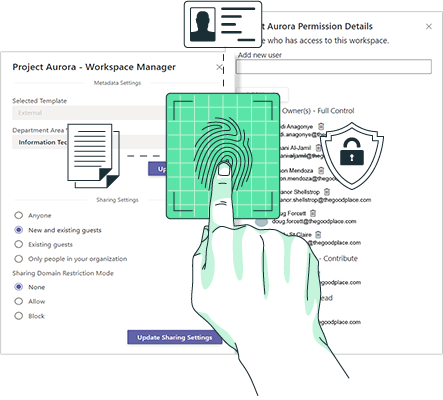
Your CISO doesn’t want another third-party cloud holding board materials, IP, or transaction data. Govern 365 orchestrates Microsoft Entra ID, Sensitivity Labels, and Purview Information Protection to lock down your deal room without your data ever leaving your tenant boundary.
That gives you:
- Microsoft 365 compliance posture: ISO 27001, SOC 1/2/3, HIPAA, FedRAMP, GDPR, and more
- SSO and Conditional Access policies you already enforce on every other M365 workload
- Sensitivity labels that travel with the document — even after download
- Tenant-wide audit and eDiscovery via Purview
- Data residency aligned with your existing M365 region commitments
Frequently Asked Questions
DataRooms.com charges $299–$699 per month, billed by storage tier (capped at 100 GB on published plans). A single Premium deal at full storage runs roughly $8,400/year. Run two or three concurrent deals and you’re already at $17K–$25K – and that’s before any extensions, archive needs, or storage overages. Govern 365 is a single flat annual fee that ranges from $2,400 to $30,000 depending on tenant size, with unlimited users, unlimited storage, and unlimited deals included. The economics flip in Govern 365’s favor the moment you’re running more than one deal a year or holding deal data beyond closing.
According to DataRooms.com’s published features matrix, the Basic plan does not include watermarking, DRM, Q&A management, OCR, automatic numerical indexing, batch printing, document watches, or electronic NDAs. The Pro plan adds watermarking, Q&A, OCR, and indexing — but still excludes anti-screenshot protection, save/print/copy prevention, document shredding, view-time tracking, and the asset sales / RFP automation module. Only the Premium plan unlocks the full security and tracking stack. Govern 365 includes all of those capabilities at every price point.
Technically yes – documents, the index, and audit logs can be exported and re-stood-up inside a Govern 365 SharePoint Data Room. In practice, mid-deal switches risk disrupting bidders and breaking audit continuity, so most teams don’t do it. The standard pattern is to close the current deal in DataRooms.com and stand up the next deal on Govern 365, where every subsequent transaction runs at no incremental per-deal cost.
For a single, small, short-duration deal under 10 GB, DataRooms.com’s Basic plan can be cheaper on paper. But Govern 365’s value compounds when any of the following are true: you run more than one deal per year, your deals last longer than a quarter, you need the features locked behind DataRooms.com’s Premium tier, or you want deal data to stay inside your own Microsoft 365 tenant for governance and audit reasons. For most professional services firms, corporate development teams, and PE/VC shops, the cross-over point arrives within the first year.
Because deal content stays in your Microsoft 365 tenant, the certifications that govern your data are Microsoft 365’s – including ISO 27001, ISO 27017, ISO 27018, ISO 27701, SOC 1/2/3, FedRAMP High, HIPAA, HITRUST, GDPR, PCI DSS, and a long list of financial-services and government frameworks. That posture is broader than what a stand-alone third-party VDR can offer on its own infrastructure. Govern 365 itself is a zero-knowledge governance layer; SOC 2 certification for the Govern 365 service is in progress, slated for H1 2026.
DataRooms.com gives you the option to produce a DVD archive of room content and activity records (production fee applies). Govern 365 automatically archives every closed deal back to SharePoint inside your tenant, where it’s retained according to your existing M365 retention policies – at no additional cost and with no risk of losing access when a subscription ends.
Yes. The underlying platform is SharePoint Online, which already runs Fortune 500 document workloads at far greater scale than any single transaction requires. Microsoft 365 supplies the security and certification posture; Govern 365 adds the deal-grade controls – DRM, watermarking, bidder groups, Q&A workflow, deal-context audit, and lifecycle automation.