Microsoft 365 Virtual Data Room
The Definitive Guide to VDR-Grade Outcomes Inside Your Tenant. Run M&A, capital raises, board reviews, and sensitive external collaboration on the Microsoft 365 boundary you already trust - without exporting deal data to a third-party VDR silo.
Request a DemoWhy Run Your VDR on Microsoft 365?
- Every file stays inside your Microsoft 365 tenant, geography, and compliance boundary
- Identity, MFA, and guest access governed by Entra ID, not a vendor directory
- Encryption, sensitivity labels, DLP, and retention applied by Microsoft Purview
- A unified audit log spanning SharePoint, Teams, OneDrive, and Exchange
- Familiar Office and Teams experience for bidders, advisors, and counsel
- Flat-rate economics with no per-page, per-user, or archive fees
Trusted by deal teams & security officers | Audit-ready logs | Role-based access | Fast setup





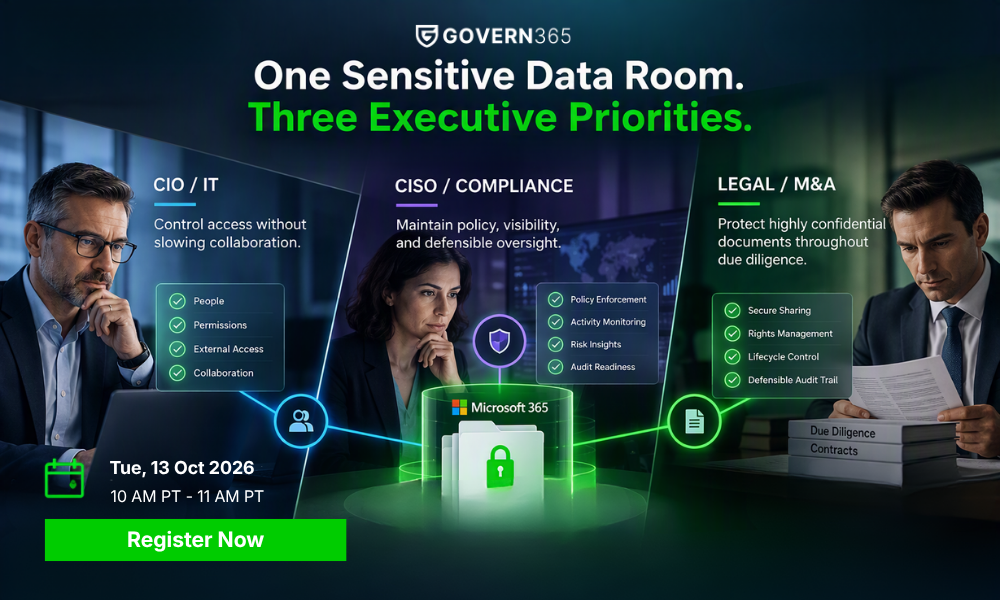
UPCOMING WEBINAR
OCTOBER 13, 2026 | 10:00 AM PT
M365 VDR – How to Enable Security at Every Stage of the Sensitive Data Lifecycle Inside M365.
What Is a Microsoft 365 Virtual Data Room?
A Microsoft 365 virtual data room is a secure, governed deal workspace built entirely on the Microsoft 365 control plane – Entra ID for identity, SharePoint Online for content, Microsoft Purview for protection and compliance, and Microsoft Defender for endpoint and threat defense – used to store, share, and audit sensitive documents during transactions like M&A due diligence, capital fundraising, board reporting, supplier collaboration, and regulated audits.
Instead of copying deal data into a third-party VDR vendor’s cloud, a Microsoft 365 VDR keeps every file, every permission grant, every audit event, and every retention policy inside the tenant you have already paid for, configured, and accredited.
Govern 365 is the VDR layer that activates Microsoft 365 for transactions. It adds the workflows, automation, watermarking, Q&A, deal-context audit, and lifecycle controls that Microsoft 365 does not ship with out of the box – while leaving your data, encryption keys, and compliance posture in place.
Looking specifically at the SharePoint Online angle? See the companion guide: SharePoint Data Room: A Practical Guide to VDR-Grade Controls in SharePoint.
Why Microsoft 365 Is the Right Foundation for a VDR
For most mid-market and enterprise organizations, Microsoft 365 is the most accredited, most paid-for, and most familiar security boundary they will ever operate. Building your data room on that boundary – instead of standing up a parallel one with a legacy VDR – means:
- Quantum-ready cryptography on the roadmap. Microsoft is investing in post-quantum cryptographic primitives across Azure and Microsoft 365. Building on that boundary inherits future cryptographic upgrades automatically.
- Data sovereignty by default. Files never leave your Microsoft 365 tenant, your data residency region, or your compliance boundary. No vendor cloud. No data exfiltration to a SaaS silo you do not control.
- Identity reuse. Access is governed by Entra ID, including conditional access, MFA, B2B guest invitations, and risk-based sign-in policies you have already deployed. No second identity store to provision, audit, and deprovision.
- Compliance reuse. Existing Microsoft Purview policies – sensitivity labels, DLP, retention, eDiscovery, communication compliance – apply automatically. Your auditors review one boundary, not two.
- Familiar UX. Bidders, advisors, internal experts, and board members already know how to use SharePoint, Teams, and Office. No portal training, no rejected guest invitations, no support tickets about “I cannot find my login link.”
- Predictable economics. No per-page upload fees, no per-user licensing, no archive surcharge to keep closed deals alive. Microsoft 365 you already pay for; Govern 365 charges a flat fee per room.
- Native co-authoring. Internal teams can draft, redline, and finalize materials in Word, Excel, and PowerPoint while the same library serves controlled external review.
Three Architectural Tests Buyers Should Apply
Most vendors say the right things in a sales deck. These three questions cut through the marketing and reveal the actual architecture.
The Residency Test
Where does the file write to disk?“When a deal team member uploads a document, where is the canonical copy stored?”
If the answer is “our cloud” or “we mirror it,” it isn’t native. A Microsoft 365-native VDR writes directly to your SharePoint Online tenant on first upload.
The Identity Test
Who issues the external user’s account?“Whose identity provider authorizes access, and whose policies enforce sign-in?”
Conditional access, MFA, location-based restrictions, device compliance checks, and risk-based sign-in are mature controls inside Entra ID. If a VDR routes guest access through a vendor directory, those controls do not apply. A Microsoft 365 VDR uses Entra ID B2B for every external participant, so your existing identity policies follow the user into every deal.
The Closeout Test
What does end-of-deal actually require?“What happens to data, audit logs, and access when the deal closes?”
With a legacy VDR, the closeout is a logistics exercise: data migration out, archive subscription decisions, audit-log exports that the vendor charges for, and a long tail of “archive fee” line items. With a Microsoft 365 VDR, nothing physically moves. State changes – the room is frozen, external access is revoked, retention applies, and the closing bible is exported – but the data stays where it has always been.
If a VDR fails any of these three tests, the cost is not financial. It is custody, control, and audit defensibility.
What Microsoft 365 Gives You Natively
Microsoft 365 contributes most of the raw primitives a virtual data room needs across four pillars: identity, content, protection, and audit.
Identity (Entra ID)
- Centralized identity for internal users with single sign-on and MFA
- Entra ID B2B for external guests, scoped per resource
- Conditional access policies based on user, group, device, location, and risk
- Identity protection signals from sign-in and user risk detections
- Privileged Identity Management for time-bound elevation
- Access reviews and lifecycle workflows
Content (SharePoint Online, OneDrive, Teams)
- Document libraries with major and minor versioning, check-in/check-out, and recycle bin recovery
- Site, library, folder, and item-level permissions
- Co-authoring in Word, Excel, and PowerPoint
- External sharing controls scoped per site or per item
- Native preview, search, and metadata
- Encryption at rest with per-tenant and per-file keys
- TLS in transit
- Customer Key for tenant-supplied encryption keys
Protection (Microsoft Purview, Microsoft Defender)
- Sensitivity labels that travel with the file, including encryption and access policy
- Data Loss Prevention rules across SharePoint, OneDrive, Teams, and Exchange
- Retention labels and retention policies
- eDiscovery (Standard and Premium) for legal hold and review
- Information barriers between groups
- Communication compliance for regulated workflows
- Microsoft Defender for Cloud Apps, Office 365, and Endpoint
Audit and Compliance (Microsoft Purview)
- Unified audit log covering file views, downloads, edits, shares, permission changes, and admin actions
- Activity Explorer for label and DLP activity
- Compliance Manager for control coverage tracking
- SOC 1/2/3, ISO 27001/27018/27701, HIPAA, FedRAMP, and dozens of regional accreditations inherited
For internal, low-stakes external sharing, this stack is sufficient. For a transaction-grade data room, it is not.
Where Microsoft 365 Falls Short for a True VDR
Microsoft 365 is an extraordinary security boundary. It is not, however, packaged as a deal room. Standing up a defensible VDR on stock Microsoft 365 forces administrators into weeks of manual configuration – and still leaves real workflow gaps that show up at the worst possible moment in a transaction.
The most common gaps are mapped below.
| Capability a deal team expects | Gap in stock Microsoft 365 |
|---|---|
| One-click secure deal site provisioning | No self-service workspace creation. Site, permissions, sharing config, labels, and lifecycle are all manual admin tasks. |
| Reusable deal room templates | No bundled templates that combine folder taxonomy, branding, security baseline, retention, and Q&A routing. |
| Q&A workflow between bidders and experts | No native bidder Q&A model. Teams default to email or spreadsheets, with no link back to source documents or audit. |
| Dynamic watermarks on view and print | No automatic watermark with viewer identity, IP, and timestamp on every page rendered or printed. |
| Persistent DRM after download | Sensitivity labels protect at rest and in transit, but legacy view-only revoke and print-block workflows require additional engineering. |
| Bidirectional permissions clarity | Permissions UI is folder-by-folder. No unified view of every folder a user can see or every group with access to this folder. |
| Automatic document numbering and index | No automatic Bates-style numbering for the closing bible or regulatory submission. |
| Closing bible export | No one-click export of the document set, audit log, and Q&A transcript at deal close. |
| Lifecycle automation tied to deal state | Retention exists, but expiration, access revocation, freeze, and archival driven by deal status are not native workflows. |
| Deal-context audit | Purview audit data is in the compliance portal, not surfaced inside the deal workspace for owners, counsel, and bidders. |
| Tenant-resident archive at no extra cost | Available, but requires manual retention configuration; not packaged as part of a deal lifecycle. |
These gaps are why most organizations either over-invest in months of custom SharePoint and Power Platform engineering, or default to a legacy third-party VDR – paying to move their own data outside their own perimeter.
How Govern 365 Turns Microsoft 365 Into a VDR
Govern 365 is a governance, automation, and workflow layer that sits on top of your Microsoft 365 tenant. It does not replace SharePoint, Entra ID, Purview, or Defender, and it does not store your files. Every document stays in your SharePoint sites, under your encryption keys, governed by your Purview policies, accessed through your Entra ID.
Microsoft 365 = the infrastructure. Govern 365 = the VDR layer that activates Microsoft 365 for transactions.
What Govern 365 adds:
- Automated provisioning of pre-configured deal workspaces from data room templates – folder structure, permission groups, sensitivity labels, sharing settings, branding, watermark policy, retention, and Q&A routing all applied at creation, in minutes.
- Self-service for deal owners, with guardrails enforced by IT and compliance, so business teams move at deal speed without bypassing governance.
- Dynamic watermarking and view-only DRM layered on SharePoint documents, including persistent controls that remain in effect after download.
- Built-in Q&A workflow linked to specific documents and routed to subject matter experts, with approver review before answers reach external participants.
- Bidirectional permissions management synced with Microsoft Purview, so owners can see access from both a folder view and a user/group view.
- Granular external access via Entra B2B with role-based scoping, automatic revocation, expiration, and full activity tracking.
- Deal-context audit that surfaces SharePoint and Purview log data inside the workspace, filterable by user, role, document, or date – and exportable as an Excel or PDF closing bible.
- Lifecycle automation for expiration, access reviews, archival, and tenant-resident retention with no archive fees.
- Bates-style document numbering for closing bibles and regulatory submissions.
Govern 365 is zero-knowledge: the platform cannot read your files, and vendor staff have no back-end path into your tenant. This is the inverse of the trust model legacy VDRs require.
VDR Workflows on Microsoft 365
Once Microsoft 365 is activated for transactions, the same boundary supports every external-collaboration workflow your organization runs. Common ones:
- Life sciences regulatory collaboration – controlled review of pre-submission materials before they flow into the eCTD pipeline.
- M&A due diligence – sell-side data rooms with tiered bidder access, redaction workflow, Q&A routing, watermarking, and a deal-close audit trail.
- Capital fundraise – LP communications, subscription documents, side letters, and quarterly reporting with persistent confidentiality controls.
- Board reporting – watermarked, view-only board packs distributed to directors and observers, with revocation at meeting close.
- Supplier collaboration – IP, drawings, and technical specs shared with manufacturing partners under DRM that survives download.
- Regulatory and audit response – read-only, audit-logged access for external auditors and regulators, scoped to specific evidence sets.
- Litigation hold and eDiscovery – data already inside Microsoft 365 is already discoverable; no migration, no parallel review tool.
How to Set Up a Microsoft 365 Virtual Data Room
With Govern 365, provisioning happens inside your existing tenant. No migration. No separate vendor environment. No new identity store.
Define the deal
Name the workspace, identify owners, list external participants by role, and choose a security baseline or published template.
Provision the workspace
Govern 365 creates the SharePoint site collection (or Teams-backed workspace), applies the folder taxonomy, assigns permission groups, attaches sensitivity labels, enables DRM and watermarking, configures retention, and routes Q&A automatically.
Upload and organize documents
Drop financial, legal, IP, and operational materials into the pre-built structure. Versioning, labels, classification, and audit start immediately.
Invite participants
Internal users join through Entra ID; external bidders, advisors, and counsel come in as Entra B2B guests, scoped to the roles you defined. No Microsoft license required for guests.
Run the deal
Monitor activity in the deal-context audit view, route bidder Q&A through the workflow, and tighten permissions as the bidder pool narrows.
Close or archive
Revoke external access, freeze the workspace, export the closing bible (documents, audit log, Q&A transcript, Bates index), and apply the retention policy. The data stays in your tenant. No archive subscription.
Permissions in a Microsoft 365 VDR
Govern 365 maps the Microsoft 365 permission model into a deal-friendly view, without abstracting away the underlying controls your security team relies on:
Owners
full control of the workspace, members, lifecycle, and audit.
Members
contribute and edit within their assigned folders.
Visitors
read-only access with watermarking and DRM applied.
Custom roles
granular scopes for specific compliance, regulatory, or workstream needs (for example, “redaction reviewer,” “Q&A approver,” “deal counsel”).
Two views, one source of truth:
Deal Room Templates
Govern 365 ships predefined templates and supports publishing your own:
Internal Secure Data Room
External Secure Data Room
M&A Buy-Side
M&A Sell-Side
Capital Fundraise
Board Meeting
Supplier and IP Exchange
Regulatory Submission Workspace
Custom templates can carry your branding, default security groups, folder hierarchy, sensitivity labels, watermark policy, Q&A routing, approval workflows, retention, and closeout policies. Published once, reused across the enterprise. This is how a single VDR room becomes an enterprise standard.
Audit and Reporting
With Govern 365, provisioning happens inside your existing tenant. No migration. No separate vendor environment. No new identity store.
Every interaction inside a Microsoft 365 VDR is captured by the unified audit log: previews, downloads, edits, deletions, permission changes, share events, sign-ins, label changes, and Q&A activity. Govern 365 surfaces this Purview-sourced data inside the deal workspace – filterable by user, role, document, time window, or activity type – and exportable as an Excel or PDF report for the closing bible, regulators, or a litigation hold.
For the underlying capability catalog, see Audit and Records Management and Access Control Management.
Microsoft 365 VDR vs. Legacy VDR: How They Compare
The table below maps the three architectures most often considered for sensitive external collaboration.
| Capability | Legacy VDR (Intralinks, Datasite, ShareVault) | Stock Microsoft 365 | Microsoft 365 + Govern 365 |
|---|---|---|---|
| Where data lives | Vendor cloud | Your tenant | Your tenant |
| Identity provider | Vendor directory | Entra ID | Entra ID |
| Compliance posture | Vendor accreditations | Your existing Microsoft 365 accreditations | Your existing Microsoft 365 accreditations |
| Pricing model | Per page, per user, plus archive fees | Included in M365 license | Flat fee per room |
| One-click deal site | Yes | No | Yes |
| Reusable templates | Yes (vendor-defined) | No | Yes (custom, enterprise-published) |
| Q&A workflow | Yes (vendor portal) | No | Yes (inside Microsoft 365) |
| Dynamic watermark | Yes | No | Yes |
| Persistent DRM after download | Yes | Partial (via labels) | Yes |
| Bidirectional permissions view | Limited | No | Yes |
| Closing bible export | Yes (vendor format) | No | Yes (Excel or PDF, with Bates index) |
| Deal lifecycle automation | Yes (vendor-defined) | No | Yes |
| External user onboarding | Vendor invitation flow | Entra B2B (manual config) | Entra B2B (automated, role-scoped) |
| Co-authoring on draft materials | No | Yes | Yes |
| Litigation hold and eDiscovery | Vendor process, often paid | Native Purview | Native Purview |
| Closeout data movement | Required (export and migrate) | Not required | Not required (state change only) |
| Archive cost | Ongoing subscription | Native retention (no surcharge) | Native retention (no surcharge) |
Run your own numbers on the VDR Switch Calculator, the Intralinks alternative calculator, the Datasite alternative calculator, or the ShareVault alternative calculator.
Microsoft 365 VDR FAQs
A Microsoft 365 virtual data room is a secure deal workspace built on the Microsoft 365 control plane – Entra ID, SharePoint Online, Microsoft Purview, and Microsoft Defender – used for M&A, fundraising, board reviews, and other sensitive external collaboration. Every file, identity, label, and audit event remains inside the customer’s Microsoft 365 tenant. Govern 365 adds the VDR-grade workflows (provisioning, Q&A, watermarking, deal audit, closing bible) that Microsoft 365 does not ship with out of the box.
Microsoft 365 supplies all the underlying security primitives a VDR needs – identity, content, encryption, labels, audit – but it does not ship with the deal-specific workflows: self-service room provisioning, bidder Q&A, dynamic watermarks, persistent DRM, deal-context audit, closing bible export, and lifecycle automation. Most organizations either spend months engineering those on top of Microsoft 365 or use a layer like Govern 365 that adds them.
Yes. Microsoft 365 holds SOC 1/2/3, ISO 27001/27018/27701, HIPAA, FedRAMP High, and dozens of regional and industry accreditations – typically more than the legacy VDR vendors do. The boundary itself is not the gap. The deal-specific workflows are. Govern 365 closes the workflow gap without leaving the boundary.
SharePoint Online is the content service inside Microsoft 365. A SharePoint data room focuses on the content layer (libraries, permissions, sharing, sensitivity labels) and is a useful frame for security teams whose VDR conversation is primarily about document hosting. A Microsoft 365 data room is the broader story: the same content service plus identity (Entra ID), protection (Purview), audit, and defense (Defender). For a SharePoint-specific walkthrough, see the SharePoint Data Room guide.
No. External users authenticate through Entra ID B2B, including users with corporate identities, Microsoft personal accounts, Google accounts, or one-time passcode flows. No Microsoft 365 license is required for guests. See external user management for details.
The single biggest difference is custody. Legacy VDRs host your deal data in their cloud, behind their identity, under their compliance posture, on their pricing meter. A Microsoft 365 VDR hosts your deal data in your tenant, behind your identity, under your compliance posture, on a flat fee. The deal-team experience – templates, Q&A, watermarks, closing bible – is comparable; the architecture, custody, and economics are not. See the side-by-side comparison earlier in this guide.
With a legacy VDR, closeout means data migration out, archive subscription decisions, and ongoing fees to keep the room readable. With a Microsoft 365 VDR, no data physically moves. External access is revoked, the workspace is frozen, the closing bible is exported, and your retention policy applies. The room remains tenant-resident and is reachable through normal Microsoft 365 eDiscovery in the future at no additional charge.
With Govern 365 templates, a complete deal room can be provisioned in roughly an hour – folder taxonomy, permission groups, sensitivity labels, watermarking, retention, Q&A routing, and external access all applied at creation. Legacy VDR setups typically take days, plus user onboarding overhead.
Yes, it is real, and no, deal data does not leave your tenant when running on Govern 365. Files remain in SharePoint Online sites you own. Encryption keys remain under your control (including Customer Key for tenants that have configured it). Govern 365 is zero-knowledge: vendor staff have no back-end path into your tenant and cannot read your files.
Whatever your Microsoft 365 tenant inherits – typically SOC 1/2/3, ISO 27001/27018/27701, HIPAA, FedRAMP, GDPR, CCPA, and a long list of regional and industry accreditations. Because the boundary is your tenant, your auditors review the same control surface they already review for the rest of your enterprise content estate, not a separate vendor.
Yes. Microsoft 365 supports 21 CFR Part 11, GxP-aligned configurations, and tenant-resident retention that satisfies long-cycle regulatory requirements. Govern 365 adds controlled pre-submission review and Q&A that feed cleanly into the eCTD pipeline. See the eCTD collaboration gap article for the practical workflow.
No. Govern 365 is a governance and workflow layer. It does not store files, does not scan content, and does not have a back-end path into your tenant. Files remain in SharePoint Online under your encryption and access policies. This is fundamentally different from the trust model of a legacy VDR, where the vendor holds the data.
Insights | Blog